重要资料备份与误删恢复工具
为电脑与手机中的重要资料建立备份,并了解文件丢失后的恢复入口。收录DiskGenius、KBackup、Pika Backup等站内已有工具,按实际用途选择适合自己的应用。
华为 HiSuite Windows 手机管理指南,整理联系人、消息、图片视频与文件管理、HDB连接步骤、备份恢复、系统要求及14.0.0.380官方版本记录。 | Huawei HiSuite Windows guide to phone data, USB/HDB setup, backup and restore, requirements and version evidence.
별칭: HiSuite、Huawei HiSuite、华为手机助手、华为HiSuite
작성자: RJ.tools Editorial
AI 지원 콘텐츠
소프트웨어의 기본 정보와 출처를 확인하세요
本次核验官网资料未确认软件再分发许可,请查华为适用条款。 / Reviewed page evidence did not establish a redistribution license; check applicable Huawei terms.
No installer was downloaded, executed, scanned, signature-checked or hashed; this page makes no independent software safety claim.
华为 HiSuite Windows 手机管理指南,整理联系人、消息、图片视频与文件管理、HDB连接步骤、备份恢复、系统要求及14.0.0.380官方版本记录。 | Huawei HiSuite Windows guide to phone data, USB/HDB setup, backup and restore, requirements and version evidence.
HiSuite 华为手机助手在 Windows 上管理兼容手机的联系人、消息、图片、视频与文件,提供备份恢复入口。本页整理 HiSuite 下载、安装与 HDB 连接步骤,说明 14.0.0.380 版本、系统要求和授权撤销方法,帮助在连接失败时核对线缆、传输模式及手机提示;系统恢复、升级与回退需先确认设备支持条件。 | HiSuite for Windows manages phone data and backups. Check Huawei's download, setup, HDB connection, version 14.0.0.380, requirements and recovery limits.
HiSuite 华为手机助手在 Windows 上管理兼容手机的联系人、消息、图片、视频与文件,提供备份恢复入口。本页整理 HiSuite 下载、安装与 HDB 连接步骤,说明 14.0.0.380 版本、系统要求和授权撤销方法,帮助在连接失败时核对线缆、传输模式及手机提示;系统恢复、升级与回退需先确认设备支持条件。
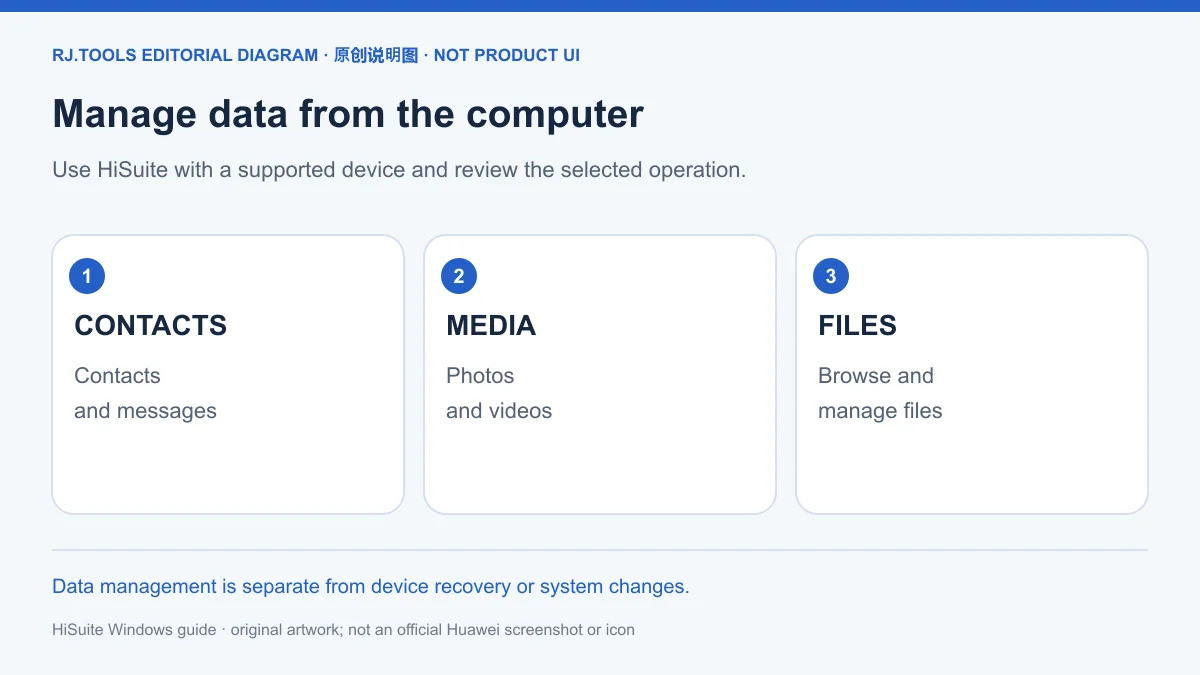
华为HiSuite 官方页面把数据管理、备份恢复和系统相关操作集中在同一产品下,列出的项目包括联系人、消息、图片、视频和文件。需要从电脑整理手机资料时,应先明确自己准备操作的数据类型,再阅读手机上的连接授权。数据管理、恢复备份和恢复系统是不同操作,不能因为连接成功就推断所有功能都适用于当前手机。
本页使用华为官网作为下载和功能依据,不采用历史榜单的第三方安装器地址确认当前版本。具体手机能使用哪些项目,应以官方页面、连接后的提示和对应设备支持说明为准。准备整理资料时,可以先确认目标文件和保存位置;系统操作的条件则应另外核对。
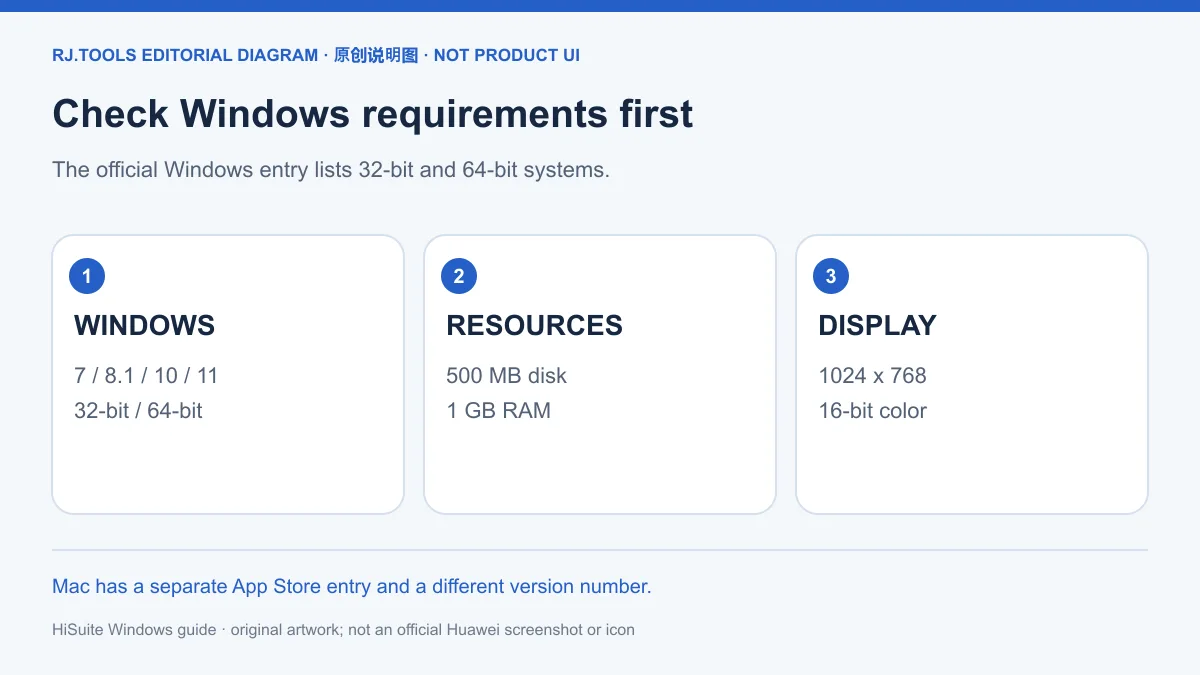
官网展开的系统要求列出 Windows 7、8.1、10、11,支持 32 位和 64 位;另列 500 MB 磁盘空间、1 GB 内存、1024×768 分辨率与 16 位色彩。这些是所核验页面的要求,不能由此推断每种手机功能都支持这些系统的所有组合。安装前先对照电脑系统与资源条件,再核对手机和目标操作的支持情况。
本篇对应官网的 Windows V14.0.0.380 条目。页面另有 Mac V13.0.0.350 的 Mac App Store 路径,它属于不同平台和安装渠道,不能把该版本号、商店包或支持条件与 Windows 安装项混用。本页下载入口面向 Windows;Mac 用户应从官方页面进入对应商店,并核对该平台的当前条件。
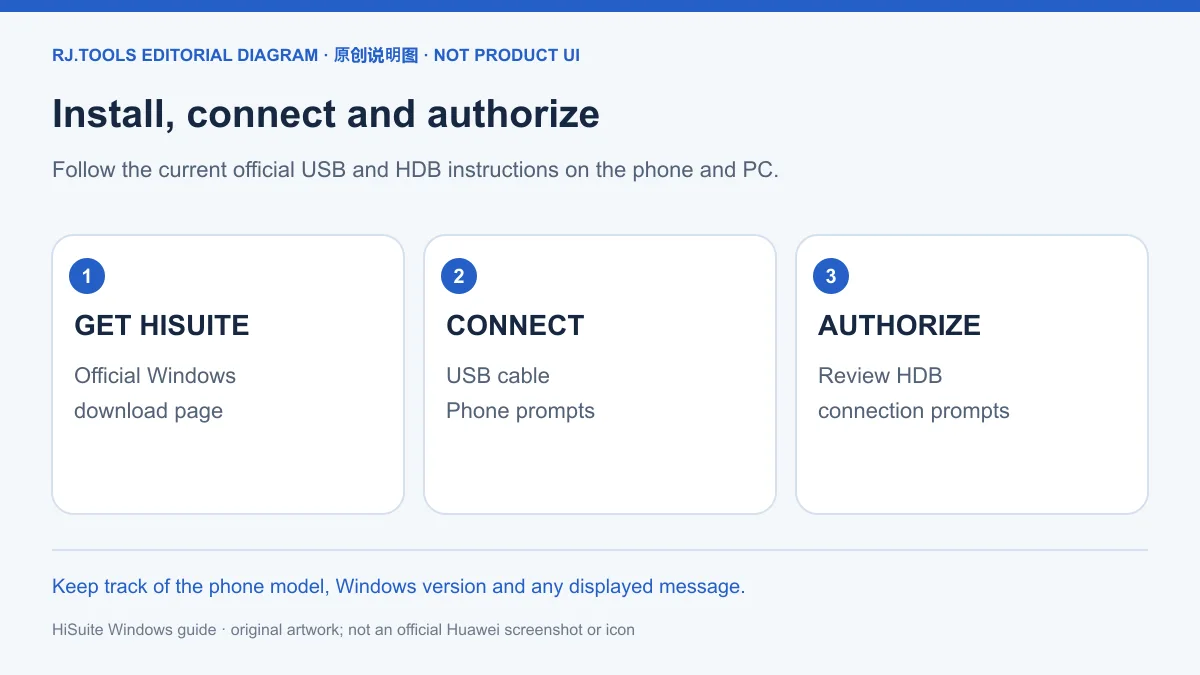
从本页渠道打开华为 HiSuite 官网,核对 Windows 标签后获取对应安装器。连接过程需要手机和电脑两端配合;仅把手机插入 USB 端口不代表已经完成授权。按照官网当前说明安装并连接,可用下面的顺序核对关键步骤。
如果停在某一步,记录当前提示再回查对应环节:USB 线和传输模式、HDB 设置、手机授权或验证码输入。不要把这些环节混为单一“驱动问题”。本次未下载、执行、扫描或签名检查安装包,也没有在特定设备上验证安装和连接结果。
官方页面列出备份与恢复,也列出系统恢复、升级和回退。这些入口处理的对象与前提不同:恢复数据备份不能等同于恢复手机系统;系统升级或回退也不能被概括为每台手机都可随时执行。准备操作前,应先识别需要恢复的是资料还是系统,并核对官方对该机型和操作的当前说明。
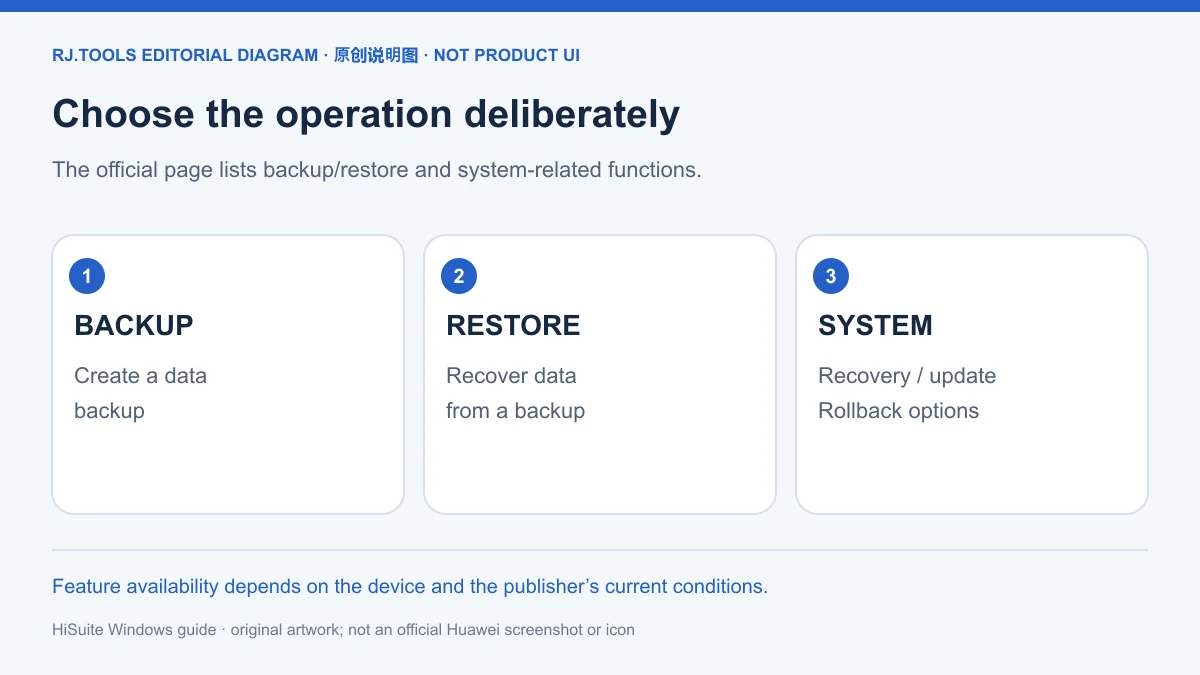
建议在进行系统相关操作之前先确认重要资料已有可用备份,并阅读操作界面的完整提示。遇到连接异常时先完成 USB、HDB 和验证码环节的核对;不能仅凭一次连接失败,就判断手机需要系统恢复。对于页面未确认的机型、故障状态或回退路径,应向官方支持确认条件后再决定。
截至 2026-10-18 核验,华为官网 Windows 条目显示 V14.0.0.380,日期为 2026-09-07,列出的大小为 62.3 MB。这里的大小是官网显示值,未通过下载文件测量,也未确认文件摘要。访问官网时应重新核对当前条目,因为落地页之后可能换成其他版本。
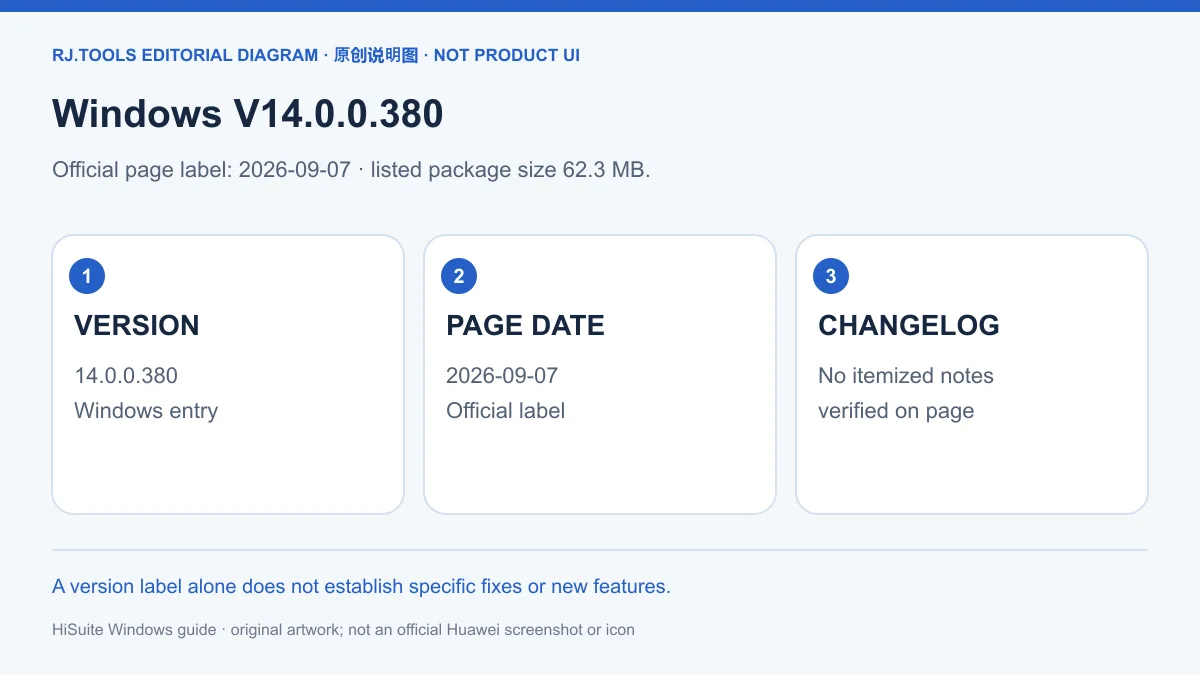
所核验官网页面没有提供这个版本的逐条更新日志,因此本页只记录可证实的版本、日期与显示大小,不编写新增功能、修复问题或性能变化。历史榜单中出现的 15.0.1.270、14.0.0.320 等文字是不同候选行的旧标签,不能替代本次核验的华为英文支持页记录,也不能仅凭数字大小断定当前应安装哪个来源的文件。
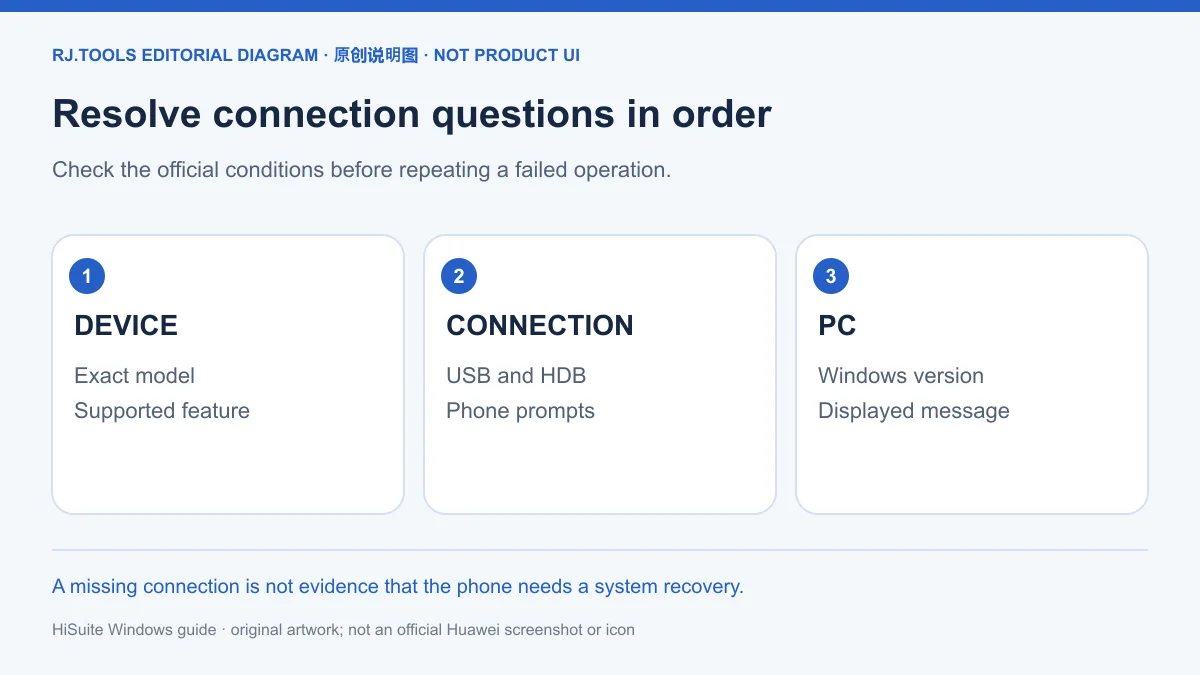
USB 已连接,为什么电脑还看不到数据? 先确认线缆可传数据,手机已选择文件传输或照片传输,并按官网完成 HDB 开关、手机授权和 8 位验证码输入。记录停留步骤和错误提示,避免在未授权时反复尝试数据操作。
HDB 授权以后还能撤销吗? 官网说明,使用后可选择“Revoke HiSuite's HDB authorizations”撤销 HiSuite 的 HDB 授权。请按手机上的实际设置和提示操作。
Windows 和 Mac 的版本号为什么不同? 官网分别列 Windows V14.0.0.380 和 Mac V13.0.0.350,后者使用 Mac App Store 路径。平台与渠道不同,应各自核对要求,不能混用安装项。
系统恢复是否能解决所有连接故障? 官网列出系统恢复功能,不构成对任意故障或机型的恢复承诺。先核对连接步骤和设备支持条件,再按具体提示咨询官方支持。
HiSuite 是否免费,安装包能否再次分发? 本次官网资料未确认价格声明或再分发许可。使用或分发前应查看适用的华为条款,不能把可打开的下载页面视作再分发授权。
寻找 HiSuite 下载、华为手机助手怎么安装或 HDB 连接失败的处理方法时,先从华为官网核对 Windows 条目,再逐步确认传输模式、HDB 授权与验证码。把数据管理、备份恢复和系统操作分别判断,能让排查依据对应实际问题。
HiSuite for Windows manages phone data and backups. Check Huawei's download, setup, HDB connection, version 14.0.0.380, requirements and recovery limits.
The official Huawei HiSuite page lists data management, backup and restore, and system-related operations. Its data categories include contacts, messages, pictures, videos and files. When organizing phone information from a computer, identify the intended category and read the connection permission shown on the phone. Data management, restoring a backup and restoring the phone system are separate operations; a successful connection alone does not establish that every function supports the device.
This guide uses Huawei's page for the product and download facts rather than the historical ranking's third-party installer links. Check the official device information and the connected device's prompts for the functions available to that model. Before organizing files, identify the data and destination; check system-operation conditions separately.
The official system-requirements panel lists Windows 7, 8.1, 10 and 11, in 32-bit and 64-bit versions. It also lists 500 MB of disk space, 1 GB of RAM, a 1024×768 display and 16-bit color. These are the reviewed page's requirements, not proof that every phone operation works in every operating-system combination. Match the computer requirements first, then check the phone and intended operation.
This resource covers the official Windows V14.0.0.380 listing. Huawei separately lists Mac V13.0.0.350 through the Mac App Store. That is a different platform and installation route, so do not combine its version, store package or requirements with the Windows entry. The download option on this page is for Windows; Mac users should follow the corresponding official Store route and check its current conditions.
Open the Huawei HiSuite site through this resource's channel and check the Windows label before obtaining the installer. Connecting requires actions on both the computer and phone. A USB cable connection does not by itself complete permission approval. Use the current publisher instructions and check these stages in order.
If a stage fails, record the displayed message and revisit that stage: USB cable and transfer mode, HDB settings, the phone permission prompt or verification-code entry. These are separate checks rather than one unspecified driver problem. No installer was downloaded, executed, scanned or signature-checked, and setup or connection on a particular device was not verified for this guide.
The official page lists backup and restore as well as system recovery, update and rollback. Their purposes and conditions differ. Restoring backed-up data is not the same operation as restoring the phone system, and the presence of update or rollback options does not mean every phone can use them at any time. Identify whether the problem concerns data or the operating system, then check the current instructions for that model and operation.
Before a system-related operation, confirm that important information has a usable backup and read the complete operation prompts. A connection problem should first be checked against USB, HDB and verification-code steps; one failed connection does not establish a need for system recovery. Ask official support about a model, fault state or rollback path that the page does not confirm.
At the 2026-10-18 review, Huawei's Windows listing showed V14.0.0.380, a date of 2026-09-07 and a displayed size of 62.3 MB. The size is a value shown on the official page, not a measured download size, and no file digest was established. Recheck the live listing before obtaining a package because the landing page may later offer a different version.
The reviewed page did not provide itemized release notes for this version. This guide therefore records the verified version, date and displayed size without inventing features, fixes or performance changes. Labels such as 15.0.1.270 and 14.0.0.320 in the historical ranking are candidate-source entries; they do not replace the Huawei English support-page evidence or determine which source's installer should be used solely by comparing version numbers.
Why is data missing even though USB is connected? Check that the cable carries data, the phone is in File Transfer or Photo Transfer mode, and the official HDB, permission and eight-digit-code steps are complete. Record the failed stage and message instead of repeatedly attempting data operations before authorization finishes.
Can I revoke HDB permission later? Huawei's instructions say you can choose “Revoke HiSuite's HDB authorizations” after use. Follow the actual settings and prompts on the phone.
Why do Windows and Mac have different versions? The checked page lists Windows V14.0.0.380 separately from Mac V13.0.0.350 through the Mac App Store. Check each platform and channel's own conditions rather than mixing installation entries.
Can system recovery solve any connection fault? A listed recovery function is not a promise to resolve every fault or support every model. Check the connection procedure and device conditions, then consult official support with the specific message.
Is HiSuite free, and may I redistribute its installer? The reviewed information did not establish a pricing statement or redistribution license. Read the applicable Huawei terms; an accessible download page is not by itself redistribution permission.
For a HiSuite download, Windows installation or failed HDB connection, start with Huawei's current Windows listing and then check transfer mode, HDB permission and the verification code in order. Distinguish data management, restoring a backup and system operations so that each troubleshooting step addresses the actual task.
정보 검증일: 2026년 10월 18일
최초 게시: 2026년 10월 18일· 편집 수정: 2026년 10월 18일
按官网核对可传数据线缆、文件传输或照片传输模式、HDB设置、手机授权和8位验证码,记录停留步骤与提示。
Huawei lists Revoke HiSuite's HDB authorizations after use; follow the phone settings and prompts.
不能。核验页面分别列Windows V14.0.0.380与Mac V13.0.0.350,Mac采用独立App Store路径,要求须分别核对。
The checked page lists the version, 2026-09-07 date and 62.3 MB size but no itemized release notes; specific changes were not established.

Sideloadly 是 Windows/macOS 桌面 IPA 侧载工具,可将兼容 IPA 安装到 iPhone、iPad、Apple Silicon Mac 和 Apple TV;官网列出 Wi-Fi 侧载与自动刷新。 | Sideloadly is a Windows/macOS IPA sideloading utility for iPhone, iPad, Apple Silicon Mac and Apple TV, with Wi-Fi sideloading and automatic refresh features listed by the publisher.

DiskGenius 6.2:官方安装器与便携版、免费和专业版权限、当前更新及数据恢复位置检查。 / Official v6.2 package choices, Free/Professional differences, release notes and recovery-destination guidance.

读取DPC、ISR与硬缺页定位音频中断线索,区分7.31修复、家庭版许可与当前Windows驱动阻止限制。 / Interpret DPC, ISR and pagefault reports with v7.31 notes, Home Edition licensing and current Windows driver-policy limits.
PowerToys 是 Microsoft 提供的 Windows 实用工具集合,帮助用户自定义 Windows 并简化日常任务;资料列出的版本为 v0.102.3001。

Process Lasso 是 Bitsum 的 Windows 进程管理与自动化工具,提供 ProBalance、Performance Mode、进程规则和硬件监控。稳定版 18.4.0.48 支持 Windows 10、11 与 Windows Server;免费版可长期使用,部分高级功能需要 Pro。 / Process Lasso is Bitsum’s Windows process-management and automation utility, with ProBalance, Performance Mode, process rules and hardware monitoring. Stable version 18.4.0.48 supports Windows 10, 11 and Windows Server; some advanced features require Pro.

TrafficMonitor Windows 网速与资源监控:1.86 Lite 架构选择、任务栏设置、版本变更和零读数排查。 / TrafficMonitor v1.86 Lite package selection, taskbar setup, release changes and troubleshooting for network readings.