
应用安装包与系统更新管理
按系统环境管理 AppImage 应用、Homebrew 更新或 Windows 更新服务状态。收录Gear Lever、TopOff、Windows Update Blocker等站内已有工具,按实际用途选择适合自己的应用。

Gear Lever 是一款 Linux AppImage 管理工具,可整理 AppImage 文件并集成到桌面应用菜单。官方仓库声明 GPL-3.0;本文按 4.6.2 发布资料整理,未进行安装实测。
Conheça as informações básicas do software e suas fontes
GPL-3.0
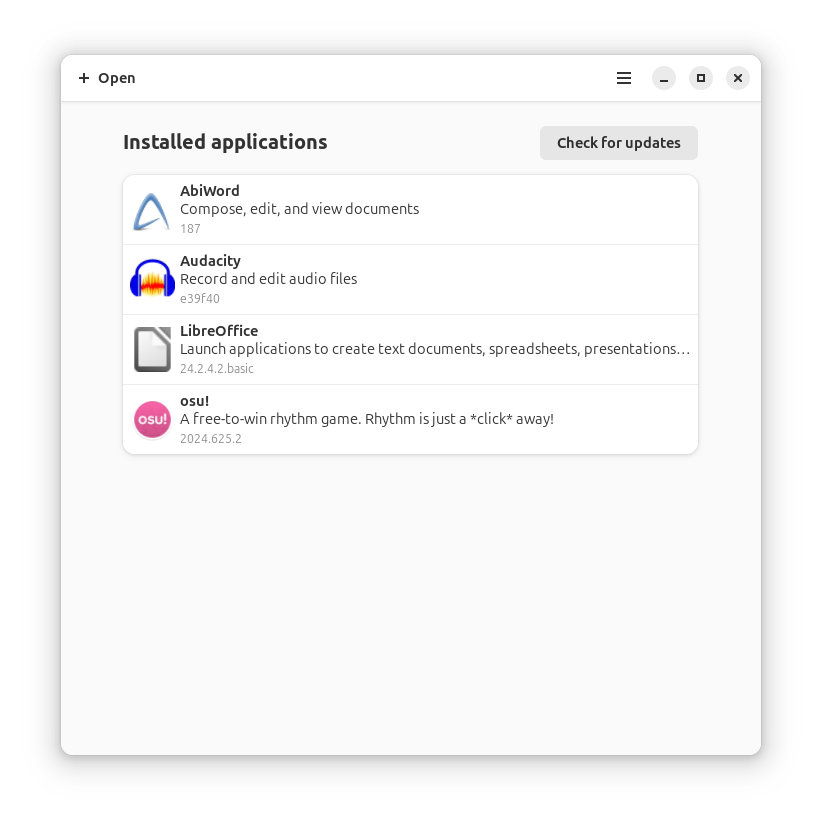
Gear Lever 是一款 Linux AppImage 管理工具,可整理 AppImage 文件并集成到桌面应用菜单。官方仓库声明 GPL-3.0;本文按 4.6.2 发布资料整理,未进行安装实测。
Gear Lever 是面向 Linux 桌面的 AppImage 管理工具。它帮助用户整理 AppImage 文件,并将应用集成到桌面菜单中。项目官网与官方 GitHub 仓库将其定位为 AppImage 管理器;本文依据项目 README 和 4.6.2 官方发布页整理,未下载或运行软件。
适合使用 Linux 桌面、希望集中整理 AppImage 并将其加入应用菜单的用户。它处理的是 AppImage 应用文件,不是通用 Linux 软件包管理器;本条目依据官方项目资料,不代表对每种发行版、桌面环境或 AppImage 的兼容性均已实测。
官方 4.6.2 发布页提供 x86_64 Flatpak 文件。请先阅读官网或仓库中的当前说明,确认系统具备相应 Flatpak 环境,再按官方安装说明获取并启动应用。首次使用时,在 Gear Lever 中添加本机 AppImage,之后按界面提供的选项整理文件或创建桌面菜单入口。本文未下载附件,也未进行安装和启动验证。
当前核验的最新稳定版本为 4.6.2,官方发布于 2026-07-22。GitHub 仓库声明 GPL-3.0。该版本发布页可见一个 x86_64 Flatpak 附件;发布页未提供可核实的逐项更新说明,因此这里不推断 4.6.2 的具体变更。
官方资料描述其用途是管理 AppImage 应用。没有证据表明它管理所有 Linux 软件包格式。
仓库资料提到更新管理,但是否能更新某个 AppImage 取决于项目提供的更新机制和该应用的发布方式;不能据此保证所有 AppImage 都可自动更新。
没有。本条目根据官方官网、README 和发布元数据整理,未在具体发行版或桌面环境中安装测试。
Informações verificadas em: 17 de out. de 2026
Publicado pela primeira vez: 18 de out. de 2026· Revisão editorial: 18 de out. de 2026
TeamSpeak 是面向游戏、团队、商务和社群的语音通信平台,官方介绍包含消息交流与服务器管理。本条目对应官方列出的 Windows 64 位 TeamSpeak 3 3.6.2。

Snipaste 是适用于 Windows、macOS 和 Linux 的截图、标注与贴图工具。页面整理官方 2.11.3 版本、系统包型、F1/F3 使用步骤和授权区别。 / Snipaste captures, annotates, and pins images on Windows, macOS, and Linux. This guide covers official version 2.11.3, package types, F1/F3 workflow, and licensing.

Aerion 是面向 Linux、macOS 与 Windows 的开源邮件客户端,通过 IMAP/SMTP 连接邮箱。查看 v0.3.5 官方下载、平台依赖、首次设置和功能限制。

Watt Toolkit(原 Steam++)是面向 Steam 相关任务的开源跨平台工具箱,包含网络、账号、库存和令牌功能。 / Formerly Steam++, Watt Toolkit is an open-source cross-platform toolbox for Steam-related network, account, library, and token tasks.

Pika Backup 是 GNOME 的 Linux 个人文件备份工具,基于 BorgBackup,支持本地与远程归档、计划备份、加密及文件恢复;不支持整机系统恢复。

Signal Desktop 是 Signal 的电脑端消息应用,可与 Android 或 iOS 手机端配对后在 Windows、macOS 和 Linux 上收发消息;首次使用前需先在手机安装 Signal。

Sideloadly 是 Windows/macOS 桌面 IPA 侧载工具,可将兼容 IPA 安装到 iPhone、iPad、Apple Silicon Mac 和 Apple TV;官网列出 Wi-Fi 侧载与自动刷新。 | Sideloadly is a Windows/macOS IPA sideloading utility for iPhone, iPad, Apple Silicon Mac and Apple TV, with Wi-Fi sideloading and automatic refresh features listed by the publisher.

DiskGenius 6.2:官方安装器与便携版、免费和专业版权限、当前更新及数据恢复位置检查。 / Official v6.2 package choices, Free/Professional differences, release notes and recovery-destination guidance.

读取DPC、ISR与硬缺页定位音频中断线索,区分7.31修复、家庭版许可与当前Windows驱动阻止限制。 / Interpret DPC, ISR and pagefault reports with v7.31 notes, Home Edition licensing and current Windows driver-policy limits.
PowerToys 是 Microsoft 提供的 Windows 实用工具集合,帮助用户自定义 Windows 并简化日常任务;资料列出的版本为 v0.102.3001。

Process Lasso 是 Bitsum 的 Windows 进程管理与自动化工具,提供 ProBalance、Performance Mode、进程规则和硬件监控。稳定版 18.4.0.48 支持 Windows 10、11 与 Windows Server;免费版可长期使用,部分高级功能需要 Pro。 / Process Lasso is Bitsum’s Windows process-management and automation utility, with ProBalance, Performance Mode, process rules and hardware monitoring. Stable version 18.4.0.48 supports Windows 10, 11 and Windows Server; some advanced features require Pro.

TrafficMonitor Windows 网速与资源监控:1.86 Lite 架构选择、任务栏设置、版本变更和零读数排查。 / TrafficMonitor v1.86 Lite package selection, taskbar setup, release changes and troubleshooting for network readings.