

文件太多找不到?文件搜索工具合集
通过文件名、索引和内容搜索定位散落在电脑中的资料。收录Everything、Flow Launcher、GeekDesk等站内已有工具,按实际用途选择适合自己的应用。

Everything 可按文件名快速查找已索引项目。Learn about NTFS and folder indexing, x86/x64 setup, the stable release, and missing results.
별칭: Everything File Search、voidtools Everything
작성자: RJ.tools Editorial
소프트웨어의 기본 정보와 출처를 확인하세요
The main program is listed under Expat/MIT; the bundled PCRE component has a separate BSD 3-Clause notice.
Everything 可按文件名快速查找已索引项目。Learn about NTFS and folder indexing, x86/x64 setup, the stable release, and missing results.
Everything 下载指南:了解 1.4.1.1032 稳定版、Windows 安装、NTFS 索引和搜索结果缺失排查。 Set up Everything, choose x86 or x64, and check file-name searches and folder indexing.
Everything 是 Windows 文件名搜索工具,可在建立索引后快速定位 NTFS 卷中的文件与文件夹。本文整理 Everything 下载、x86/x64 选择、NTFS 与文件夹索引、安装步骤和常见排查,并说明 1.4.1.1032 稳定版的已核实修复及正文搜索限制,帮助你判断文件为何未出现在搜索结果中。
Everything 适合按文件名或文件夹名快速定位已有索引中的项目,例如在多层目录里查找文档、安装包、照片或项目文件。它可以显示匹配项所在的路径,便于确认文件位于哪个磁盘和文件夹。搜索工具主要检索名称与索引信息;文件正文默认不在索引内,因此只记得文档中的一句话、却不记得文件名时,不能把普通名称搜索当作全文检索。
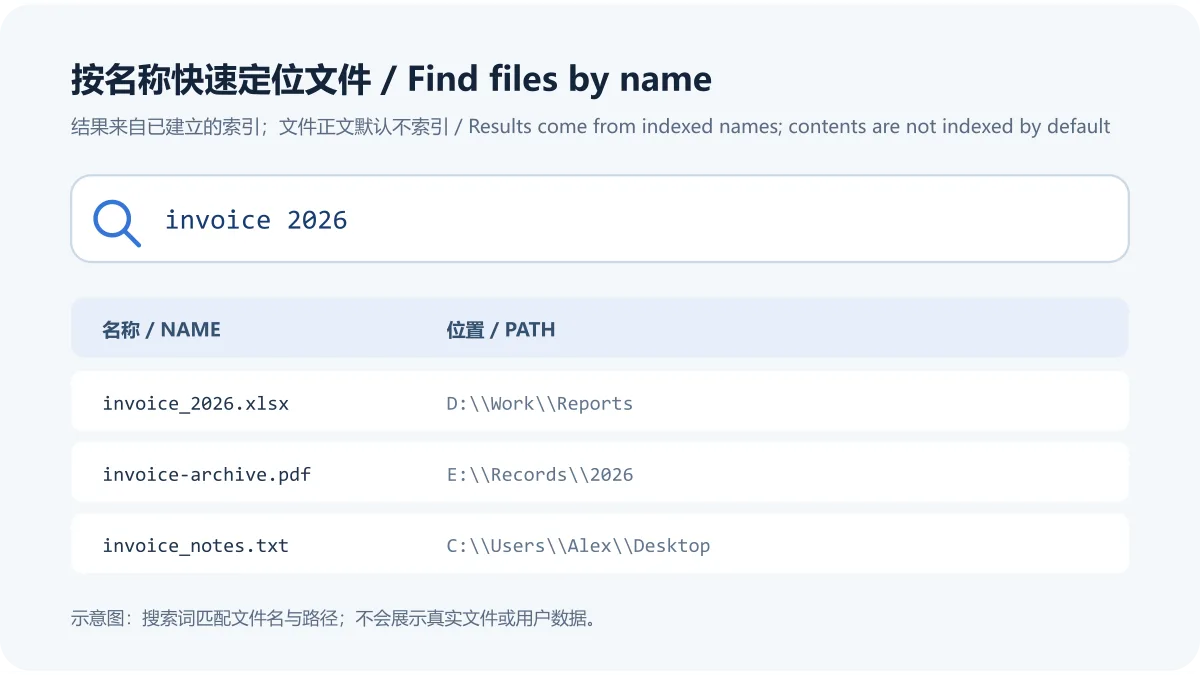
图示为原创示意:Everything 的名称搜索会返回匹配文件和路径;文件内容默认不索引。真实界面截图见 Wikimedia Commons 原图说明,该图展示 1.4.x 界面,并非 1.4.1.1032 的当前截图。
在 NTFS 磁盘上,Everything 可使用分卷索引快速搜索文件名。安装时可选择安装 Everything 服务,让服务以所需权限读取 NTFS 索引,而主程序仍以普通账户运行;也可按官方说明选择以管理员身份运行,或不索引 NTFS。服务选项涉及系统权限,安装时应阅读向导提示并按自己的设备管理策略选择。
非 NTFS 位置或没有纳入分卷索引的路径,可查看官方文件夹索引设置并按需添加具体文件夹。若搜索结果漏掉外接盘或特定目录,先确认它属于已索引的 NTFS 分卷,或已通过文件夹索引加入;不要把未纳入范围的路径误判为文件已丢失。
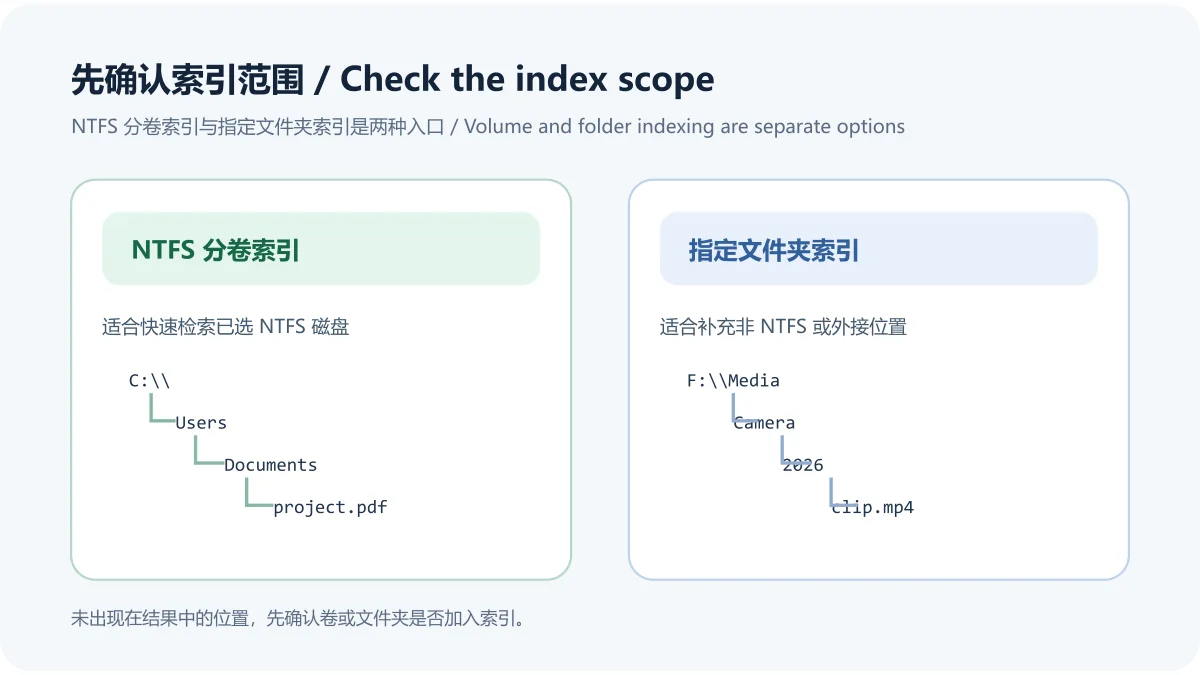
图示仅说明索引范围的选择关系;具体配置项以 官方安装说明 与 文件夹索引文档 为准。
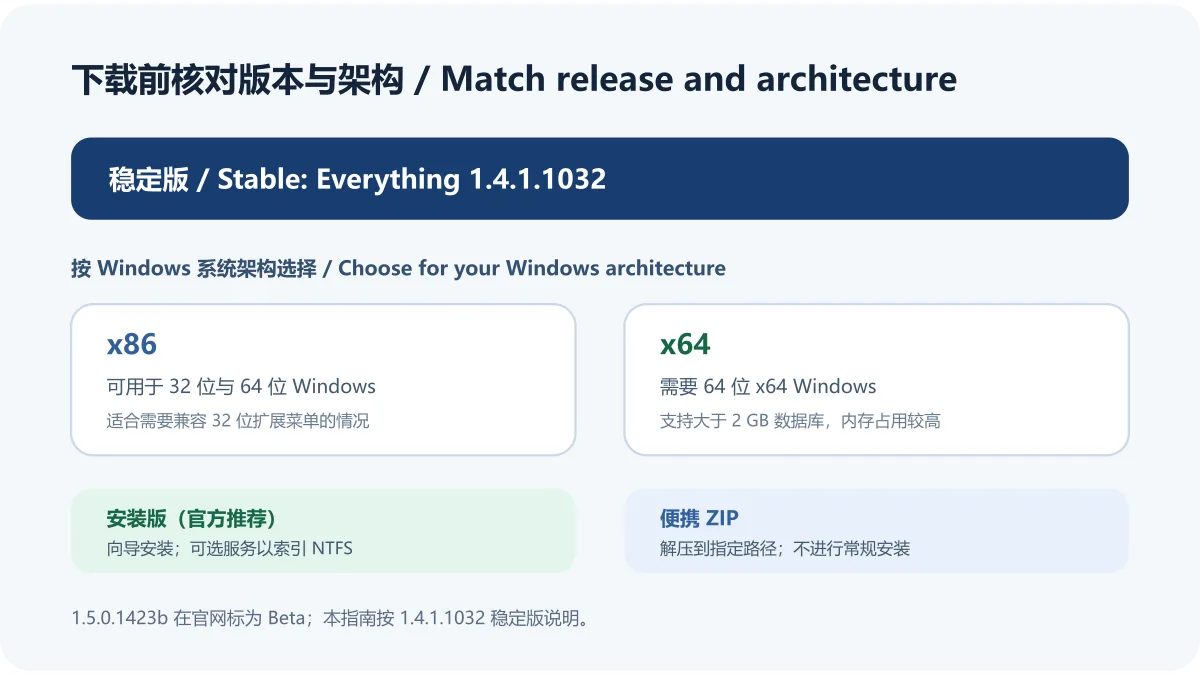
官方下载页当前将 Everything 1.4.1.1032 列为稳定版,并将 1.5.0.1423b 单独标注为 Beta。一般用户可从 voidtools 官方下载页 选择稳定版安装包;页面也列出便携 ZIP、MSI、精简版及 SHA-256 文件。安装版是官网推荐方式;便携版需要解压到指定路径,不执行常规安装。
找不到文件时,先检查路径是否已纳入 NTFS 分卷或文件夹索引,再确认是否设置了排除规则,并核对搜索词是否对应文件名、路径或文件正文。不同来源的文件若尚未进入索引,名称搜索不会返回它们。官方帮助页介绍了索引和排除设置;按需加入文件夹后,再检查索引状态和查询条件。
Everything 默认按文件名与文件夹名检索,文件正文不是默认索引内容。官方说明正文搜索需要相应内容搜索条件,处理速度也可能明显慢于名称搜索;查找大量文件中的文本时,建议先缩小文件夹或文件类型范围,并留意该功能的性能代价。稳定版用户应参考 1.4 对应的帮助与语法资料,不要照搬明确标为 1.5 才支持的语法示例。
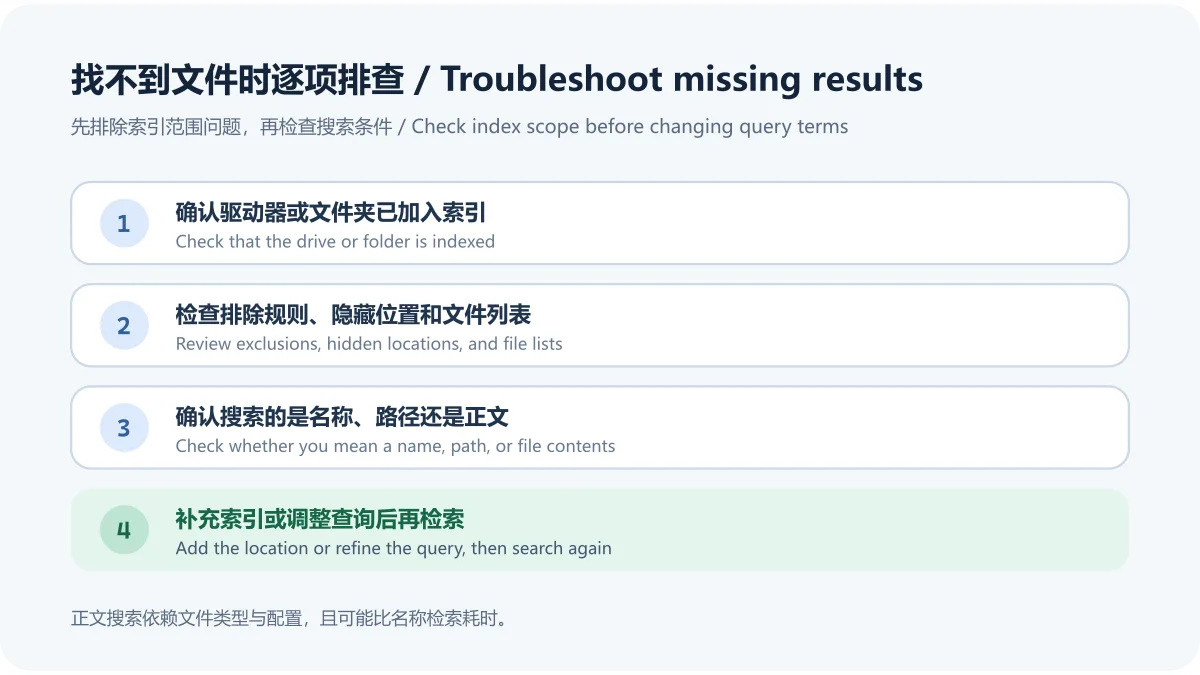
图示是原创排查流程,具体选项请对照 官方搜索帮助 和 疑难解答 页面。
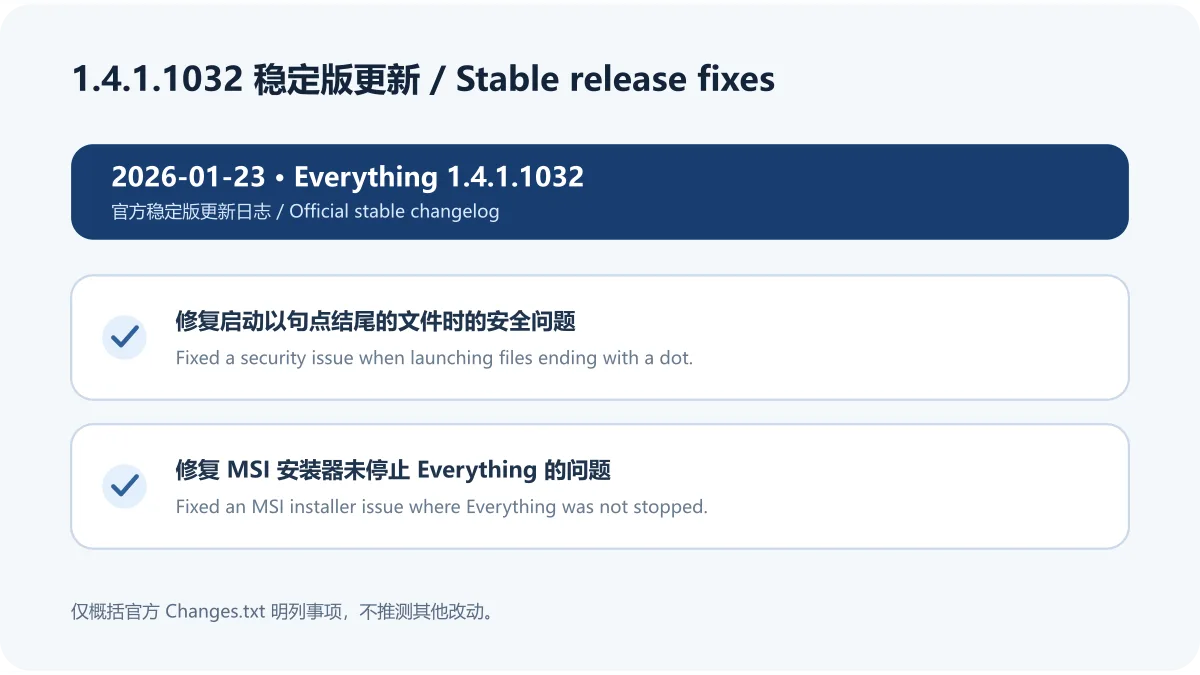
voidtools 的官方 Changes.txt 将 1.4.1.1032 标为 2026 年 1 月 23 日发布。本次日志列出两项修复:修复启动文件名以句点结尾的文件时发现的安全问题;修复 MSI 安装器没有停止 Everything 的问题。这里仅概述官方明确列出的条目,不把更早版本记录并入本次更新。
如果通过 MSI 更新,安装前先按使用场景保存工作并关闭程序;遇到异常时查看官方更新日志和安装帮助。官方下载页提供 SHA-256 文件,但本次未下载安装包,因此没有核对本地文件摘要,也没有运行或安全扫描该安装包。
按 Windows 系统架构选择。官方说明 x86 可用于 32 位与 64 位 Windows;x64 仅适用于 64 位 x64 Windows,可处理大于 2 GB 的数据库,但内存占用更高。若不确定设备架构,可先查看 Windows 系统信息再下载。
检查该 NTFS 卷是否启用了分卷索引;其他文件系统或指定目录需查看文件夹索引并按需添加。再核对排除设置和搜索词。将文件夹加入索引后,搜索范围才会覆盖该路径。
能否搜索正文取决于版本、内容搜索设置和文件类型;正文搜索不是默认名称索引的一部分,且可能比查找名称慢。先查看官方内容搜索帮助并限制搜索范围;不要把常规文件名检索与全文搜索混为一谈。
不是。voidtools 下载页把 1.5.0.1423b 标记为 Beta。本文按下载页核验时的稳定版 1.4.1.1032 编写;升级前应再次检查官方下载页的稳定版与测试版标记。
使用 voidtools 官方下载页,核对文件名、版本和架构。页面提供 SHA-256 文件;如需自行校验,应将所下载文件的计算结果与同一官方页面发布的摘要比较。本稿没有下载、运行或扫描安装包,不能替代本机安全检查。
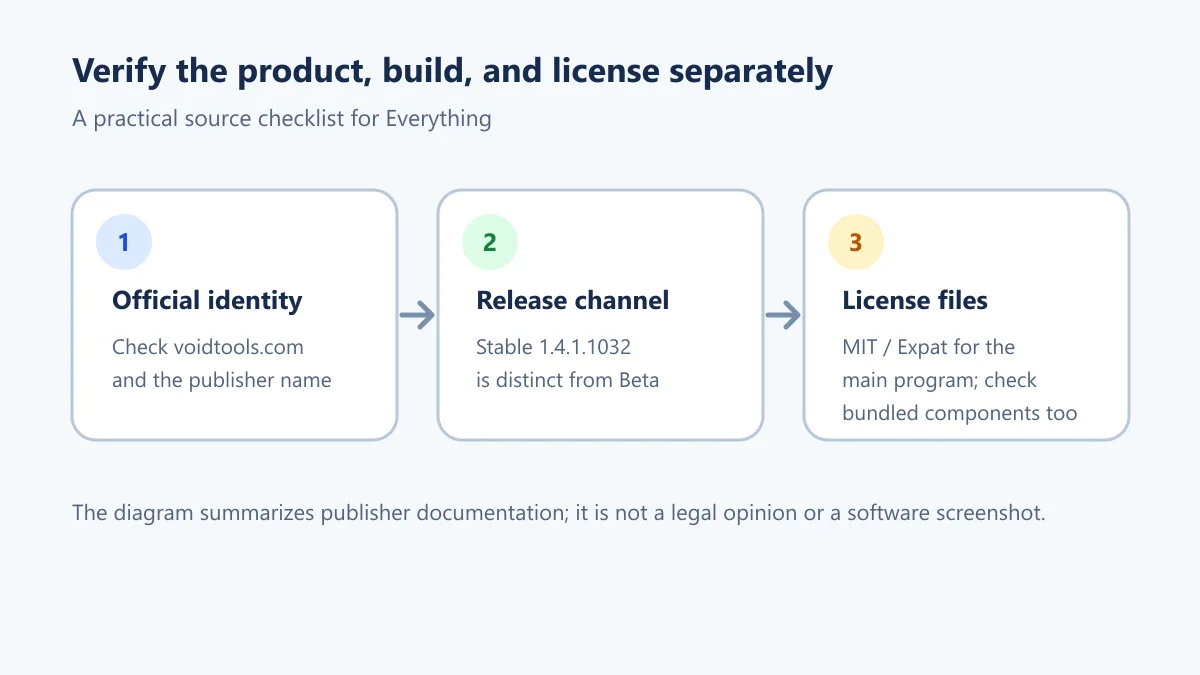
voidtools 官方许可证文本列出 Expat/MIT 许可;官方页面也说明随附 PCRE 组件采用 BSD 3-Clause。许可适用于对应软件组件,不代表本页面已独立审计安装包。Everything 与 voidtools 为其各自权利人的名称和标识,本页不暗示官方合作或背书。
资料核验日期:2026-10-17(Asia/Shanghai)。版本、安装选项、变更记录和许可依据 voidtools 官方页面;界面截图许可依据 Wikimedia Commons 文件页。软件包未下载、运行或扫描。原创 SVG 示意图由本稿创建,发布前需经正式媒体流程上传并回读。
Everything for Windows searches indexed NTFS volumes. Learn about downloads, x86/x64 setup, folder indexing, missing results, and version 1.4.1.1032 fixes.
Everything is a Windows file-name search tool for locating indexed files and folders by name. It is useful when a document, installer, photo, or project file sits several folders deep and you need its path. The normal search view works with indexed names and metadata; file contents are not indexed by default, so searching for a sentence inside a document is a different task from finding a filename.
This original diagram illustrates name and path results. A licensed interface example is available on Wikimedia Commons; it shows version 1.4.x, not the exact 1.4.1.1032 build.
Everything can use an NTFS volume index to search names on selected NTFS drives. During setup, the Everything service can access NTFS indexes with the required privileges while the main program runs under a normal account. The installer also describes running Everything as administrator or leaving NTFS volumes unindexed. Review these choices carefully because the service option affects system privileges.
For a non-NTFS location or a path outside the selected volume index, consult the official folder-indexing instructions and add the specific folder when appropriate. If an external drive or directory is missing, first check whether it is covered by a volume or folder index; an unindexed path is not evidence that the file has been deleted.
The illustration summarizes index scope. See the official installation guide and folder-indexing documentation for configuration details.
The voidtools download page lists Everything 1.4.1.1032 as the stable release and labels 1.5.0.1423b separately as Beta. Most users can start at the official downloads page and choose the stable installer. The same page lists portable ZIP files, MSI packages, Lite builds, and SHA-256 files. The installer is the vendor-recommended option; a portable build must be extracted to a chosen folder and does not perform a normal installation.
When a file is missing from results, check whether its path belongs to an indexed NTFS volume or an added folder. Review exclusions and confirm that the query matches the file name, path, or content you intend to find. Names outside the current index cannot appear in ordinary name results. Consult the vendor’s index and exclusion settings, add the needed folder, and then review the search terms.
Everything normally searches indexed names, not file contents. Content search depends on the relevant search option and file type, and it can take longer than name search. Narrow the folder or file-type scope when searching text across many files. Stable-release users should follow help for the 1.4 branch and avoid syntax examples explicitly marked as requiring 1.5.
This original checklist is a practical summary; see the official searching guide and troubleshooting page for the exact options.
The official Changes.txt dates version 1.4.1.1032 to January 23, 2026. It lists two fixes: a security issue when launching files whose names end with a dot, and an MSI installer issue that failed to stop Everything. This summary includes only those entries and does not combine changes from earlier releases.
Before an MSI update, save work and close the application as appropriate. If setup behaves unexpectedly, consult the vendor’s release history and installation guide. The official download page provides SHA-256 files, but this draft has not downloaded the installer, checked its local digest, run it, or scanned it.
Choose the package for your Windows architecture. According to voidtools, x86 works on 32-bit and 64-bit Windows. x64 requires 64-bit x64 Windows, supports databases over 2 GB, and uses more memory. Check Windows system information if you are unsure about the architecture.
Check whether the NTFS volume is included in the volume index. Other file systems and individual paths may need folder indexing. Then review exclusions and search terms. A folder must be included in the index before its names can appear in results.
Content search depends on version, settings, and file type. It is not part of the default filename index and can be slower than searching names. Review the vendor’s content-search guidance and narrow the scope; filename lookup and full-text search are different operations.
No. The voidtools download page marks 1.5.0.1423b as Beta. This guide uses stable version 1.4.1.1032 as listed during research on October 17, 2026. Check the vendor page again before updating because release labels can change.
Use the official voidtools downloads page and verify the version, architecture, and filename. The page provides SHA-256 files; compare a locally calculated digest with the matching official value if you need a checksum check. This draft has not downloaded, run, or scanned any installer.
The voidtools license text lists the Expat/MIT License. The official license page separately identifies the bundled PCRE component under BSD 3-Clause. These notices apply to their respective components and do not amount to an independent installer audit. This page does not imply endorsement by voidtools or its rights holders.
Verified on October 17, 2026 (Asia/Shanghai). Version, installation options, changelog, and license are based on vendor pages; the screenshot license is based on its Wikimedia Commons file page. No installer was downloaded, run, or scanned. The original SVG diagrams were created for this draft and still need to pass the site’s media upload and readback workflow.
정보 검증일: 2026년 10월 18일
최초 게시: 2026년 10월 18일· 편집 수정: 2026년 10월 18일
Check whether the volume or folder is indexed, whether exclusions apply, and whether the query matches a file name or path.
Normal name search targets names and indexed paths; it is not automatically full-text search.
Choose x86 or x64 for the Windows architecture. The vendor marks 1.5.0.1423b as Beta and 1.4.1.1032 as stable.
The official license text lists Expat/MIT for the main program and a separate BSD 3-Clause notice for bundled PCRE.

Sideloadly 是 Windows/macOS 桌面 IPA 侧载工具,可将兼容 IPA 安装到 iPhone、iPad、Apple Silicon Mac 和 Apple TV;官网列出 Wi-Fi 侧载与自动刷新。 | Sideloadly is a Windows/macOS IPA sideloading utility for iPhone, iPad, Apple Silicon Mac and Apple TV, with Wi-Fi sideloading and automatic refresh features listed by the publisher.

DiskGenius 6.2:官方安装器与便携版、免费和专业版权限、当前更新及数据恢复位置检查。 / Official v6.2 package choices, Free/Professional differences, release notes and recovery-destination guidance.

读取DPC、ISR与硬缺页定位音频中断线索,区分7.31修复、家庭版许可与当前Windows驱动阻止限制。 / Interpret DPC, ISR and pagefault reports with v7.31 notes, Home Edition licensing and current Windows driver-policy limits.
PowerToys 是 Microsoft 提供的 Windows 实用工具集合,帮助用户自定义 Windows 并简化日常任务;资料列出的版本为 v0.102.3001。

Process Lasso 是 Bitsum 的 Windows 进程管理与自动化工具,提供 ProBalance、Performance Mode、进程规则和硬件监控。稳定版 18.4.0.48 支持 Windows 10、11 与 Windows Server;免费版可长期使用,部分高级功能需要 Pro。 / Process Lasso is Bitsum’s Windows process-management and automation utility, with ProBalance, Performance Mode, process rules and hardware monitoring. Stable version 18.4.0.48 supports Windows 10, 11 and Windows Server; some advanced features require Pro.

TrafficMonitor Windows 网速与资源监控:1.86 Lite 架构选择、任务栏设置、版本变更和零读数排查。 / TrafficMonitor v1.86 Lite package selection, taskbar setup, release changes and troubleshooting for network readings.