BlueScreenView 蓝屏转储阅读指南:官方入口、免安装步骤、停止代码与驱动线索解读、1.55历史更新、空白列表和转储隐私。 / BlueScreenView guide to official setup, minidump records, driver clues, historical 1.55 changes and privacy-aware troubleshooting.
BlueScreenView下载与安装指南,介绍Windows蓝屏转储分析、驱动线索、1.55历史更新与FAQ。BlueScreenView download guide: minidumps, portable setup, driver clues, update notes and privacy FAQs.
中文
BlueScreenView下载指南,介绍NirSoft蓝屏分析工具如何读取Windows小型内存转储,查看停止代码、参数、崩溃时间及相关驱动线索。本页整理免安装启动步骤、1.55历史更新和常见问题,说明空白列表、系统支持与转储隐私的检查方法,帮助保留排障记录并理解结果边界,避免仅凭一个驱动名称判断故障原因。
BlueScreenView蓝屏分析:先整理转储中的可见信息
NirSoft 官方产品页介绍,BlueScreenView 由 Nir Sofer 开发,用来读取 Windows 崩溃后生成的小型内存转储(minidump)。它可以展示 Bug Check 信息、参数、崩溃时间,以及可能相关的驱动或模块。对于只记得电脑突然蓝屏、来不及抄下代码的情况,这些已有记录能帮助整理一次故障发生时的背景;前提是系统确实生成并保留了可读取的转储。
阅读时先区分“转储记录了什么”和“故障为什么发生”。停止代码、时间和参数是需要保存的记录,某个驱动或模块名称则可能是继续调查的入口。程序负责展示转储信息,不会因为列表里出现一个名字,就自动完成硬件、驱动和软件冲突的排除工作。作者也明确提醒,驱动归因并不完全准确。
建议为每次崩溃保留对应时间、操作场景和最近的系统变化,再将它们与转储里的信息对应起来。例如,记录是在唤醒后、连接外设后,还是运行某个应用时发生异常;这些是编辑提出的排障记录方法,并非本工具承诺能够识别全部原因。
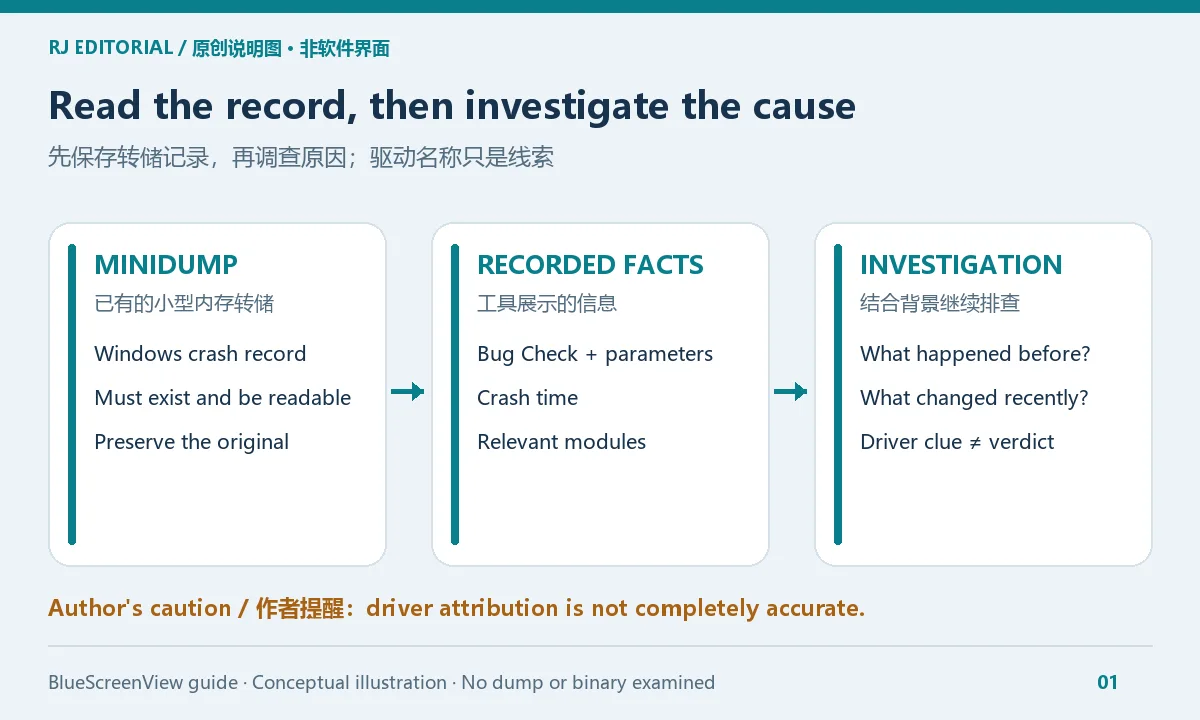
RJ.tools 原创编辑图,用于解释信息关系,非 BlueScreenView 软件截图。
BlueScreenView下载与安装步骤:ZIP版可解压启动
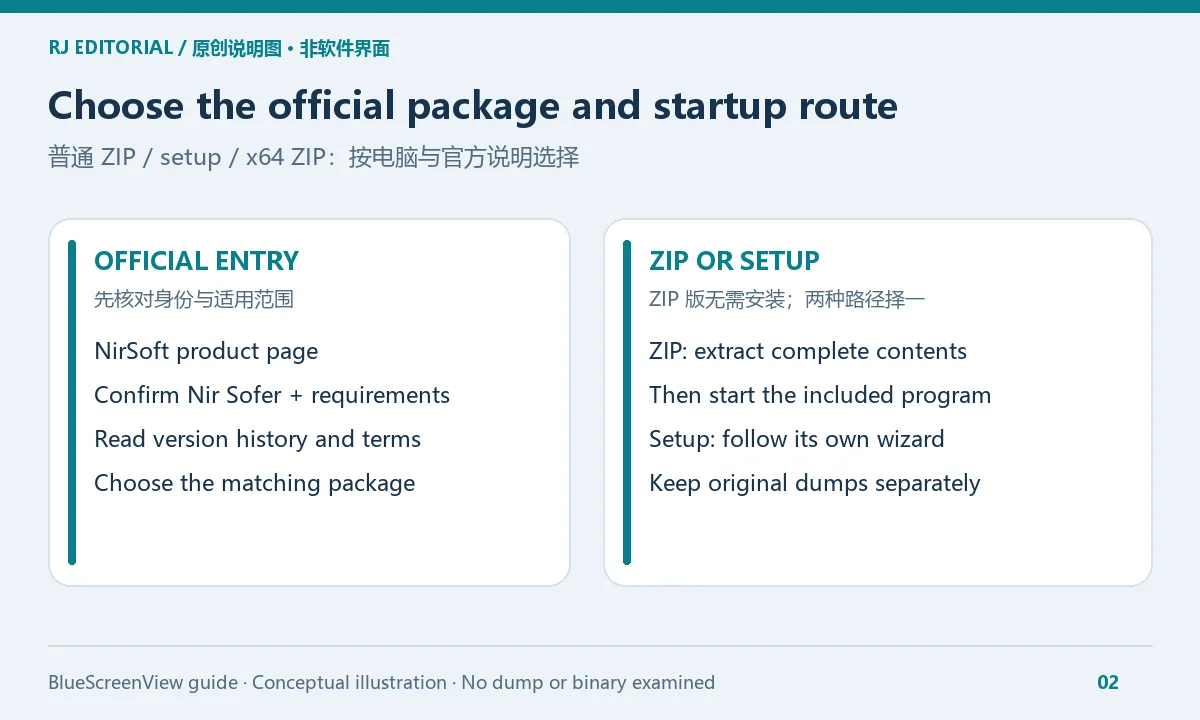
- 打开 BlueScreenView 官方页面,核对产品名与作者 Nir Sofer,并阅读页面当前的系统说明、版本记录及许可。
- 官网提供普通 ZIP、setup 和 x64 ZIP 入口。根据电脑环境与页面说明选择;能够读取 32 位、64 位转储,不等于所有下载文件都应按转储文件的位数选择。
- 使用 ZIP 时,先完整解压到自己有权访问的文件夹,再启动其中的程序。官方说明该工具无需安装。若选择 setup,则按安装向导与许可操作;两种入口不必重复使用。
- 打开后查看是否有可读的崩溃记录。若已持有一个合法取得的 dump 文件,官网 1.55 记录说明可从 Windows Explorer 将单个文件拖放到程序窗口;保留原文件,避免在排查中反复覆盖唯一副本。
- 先记录停止代码、时间、参数和相关模块,再结合发生场景开展后续调查。遇到权限或系统提示时,保存准确提示,按当前官方说明处理。
本文仅链接官方产品页,未提供榜单中的第三方 EXE,也未下载、执行、扫描或核对安装文件。更新已有文件前,保留自己的排障记录和原始转储;这些数据与工具文件应分别管理,避免替换程序时误删证据。
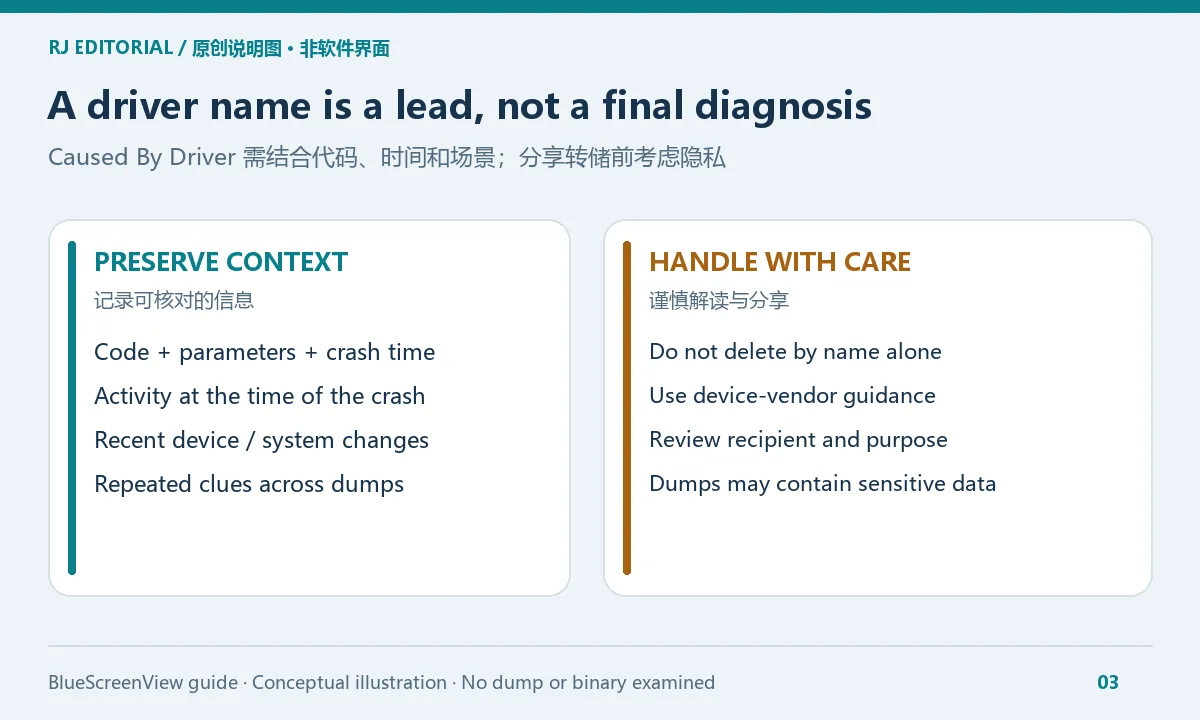
怎样理解Caused By Driver:保留线索,也保护转储隐私
“Caused By Driver” 容易被理解为已经确定的故障原因,但官方提醒其驱动判断并不完全准确。排查时,把该字段与停止代码、参数、发生时间及自己的操作记录一起阅读。某个模块参与崩溃过程,并不足以证明它是唯一原因;也不应仅凭这一列就手动删除驱动文件或更改系统组件。
若多份转储反复出现同一名称,可以把它作为联系设备厂商或技术支持时的线索,附上对应时间、复现步骤和近期更新情况。驱动调整应依据设备型号与官方支持说明实施,并记录调整前后的状态。一次列表结果不能保证解决蓝屏,也不能替代需要更完整上下文的调查。
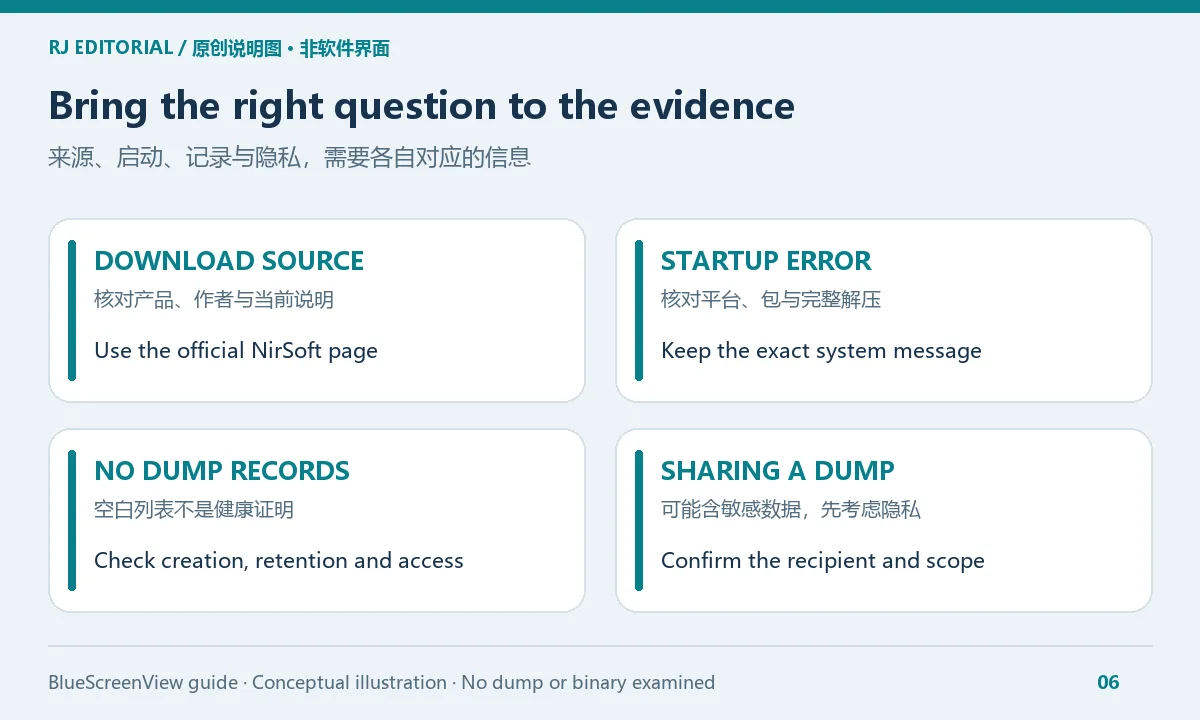
崩溃转储可能包含敏感数据。需要分享时,先确认接收方和用途,使用自己信任且有权使用的支持渠道,尽量只提供调查所需内容。公开发帖前也要检查截图、路径、用户名与附件;简单改名不能证明转储中的敏感内容已清除。本文没有分析任何用户转储,图中的内容均为概念说明。
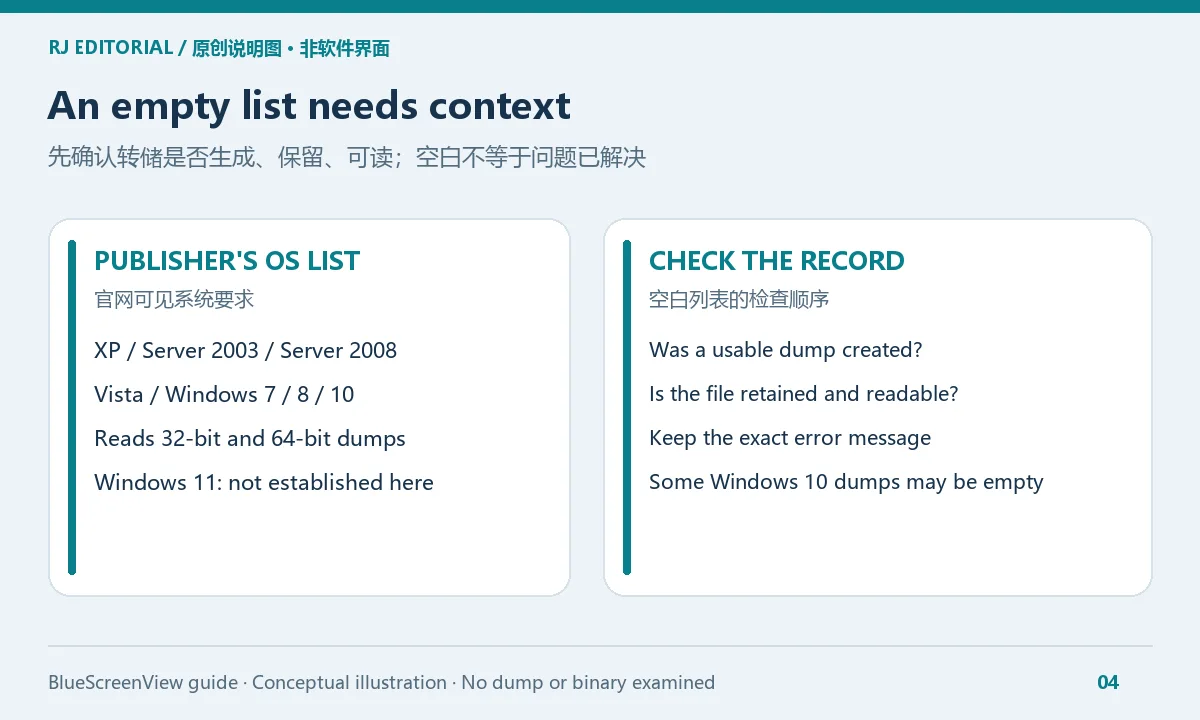
BlueScreenView没有记录怎么办:系统范围与空白列表
官方系统要求文本列出 Windows XP、Server 2003、Server 2008、Vista、7、8 和 10,并说明能够读取 32 位及 64 位 minidump。这份可见列表没有核实 Windows 11 支持;不要把旧版 Windows 范围自动扩展为对新系统的兼容承诺。程序运行环境与它能读取哪类转储,也应分别理解。
空白列表首先需要确认“有没有生成并保留 dump”,而不是直接判断电脑从未发生过故障。检查故障发生时间是否对应到手头文件、文件是否仍存在,以及当前账户能否读取它。若崩溃时系统没有留下可用转储,查看工具也无法凭空补回缺失记录。保留 Windows 的实际提示,并参照相应系统的官方故障转储说明检查设置。
官网还特别指出:Windows 10 的部分 minidump 可能为空。遇到这种情况,空白结果本身不能证明文件完好、系统健康或某个驱动没有问题。避免重复改名或反复覆盖文件;将实际文件状态、系统版本和错误信息交给能够进一步分析的支持人员,更有利于判断是记录缺失、读取问题还是其他情况。
如需了解转储未生成时的旧版系统设置背景,可参考 NirSoft 于 2010 年发布的历史说明。该文只列出 Windows XP 和 Windows 7 的菜单路径,属于历史资料;不要将步骤直接套用于当前 Windows 版本,请按实际版本查阅 Microsoft 的现行支持文档。
版本与更新记录:官网当前页列出的1.55历史条目
本次由主代理在 Codex 内置浏览器核对的官网页面标题列出 BlueScreenView v1.55;官网版本历史最新所列条目也是 1.55,但该条目没有标出发布日期。本次不补写月日,也不据此称它为近期发布的新版本。旧榜单的“1.5.5”与官网写法不同,本页保留官方的 1.55。
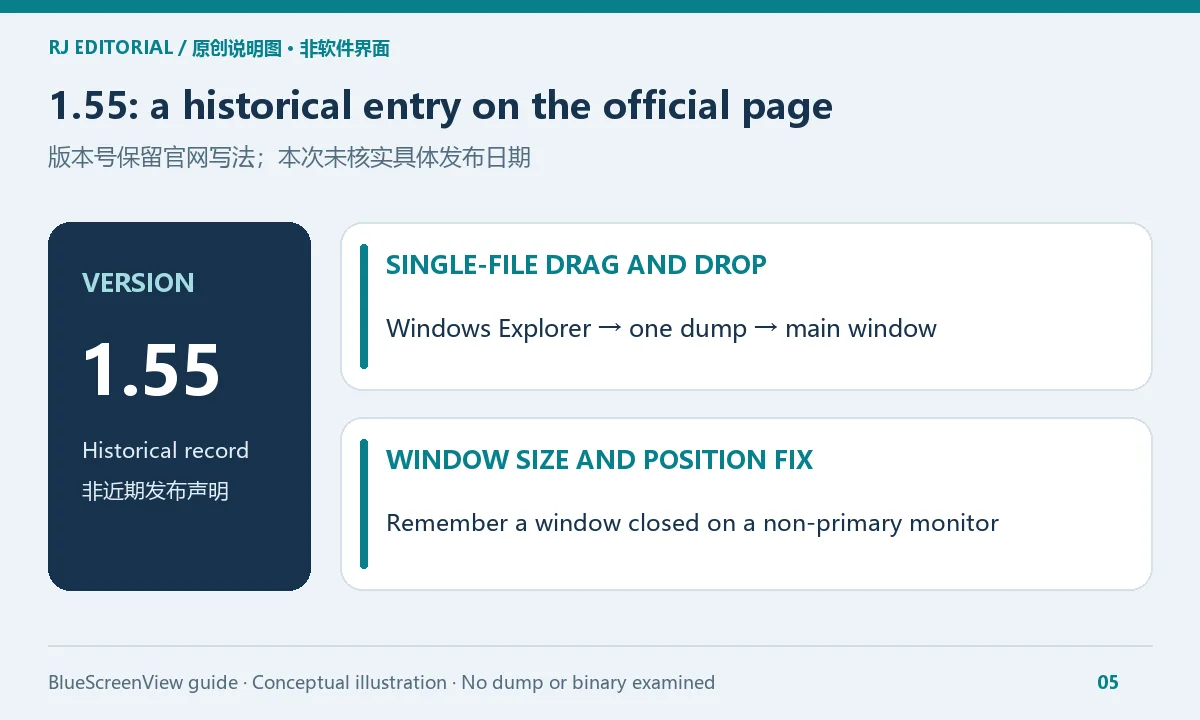
官网给 1.55 归属的改动有两项:新增从 Windows Explorer 拖放单个 dump 文件到主窗口的能力;修复在非主显示器上关闭窗口后,窗口尺寸与位置没有正确记忆的问题。这些是该历史条目的具体更新,不应扩写成新系统支持、崩溃修复率提升或更准确的驱动归因。
准备更新时,重新检查官网当前内容并核对手头程序版本。若只是想打开一份转储,先确认文件是否可读以及工具范围是否适合;无需为了追求“最新”而从来源不明的同名文件替换当前工具。官网没有在本次核验中证实的版本日期和 Windows 11 支持,继续保留为未确认信息。
常见问题(FAQ):免费、打不开、驱动判断与文件分享
BlueScreenView是免费软件吗?可以重新分发吗?
作者在官网公布 freeware 条款,允许无收费再分发,但要求文件齐全且不得修改。免费与开源是不同概念,本文不推断开源许可证。若计划转发程序,先阅读当前完整条款;本页只提供官方入口。
BlueScreenView打不开怎么办?
核对所选包、系统环境与是否完整解压,保留系统提示原文,再参考官网说明。没有实际错误信息时,不建议凭名称猜测原因,也不要把关闭系统保护当作通用启动步骤。本文未运行该程序,无法保证特定设备上的启动结果。
没有列出转储,是不是蓝屏已经修好了?
不能由空白列表得出这个结论。可能需要检查转储是否生成、保留与可读,官网也提示 Windows 10 的部分 minidump 可能为空。把记录缺失与故障是否再次发生分开观察。
Caused By Driver显示某个驱动,能直接删除吗?
不要仅凭这个字段删除系统文件。作者承认归因存在局限;先保存停止代码、时间与复现背景,再按设备厂商或技术支持指导处理。
Windows 11能用吗?安装文件经过安全检查吗?
本次官方系统要求文本未核实 Windows 11 支持;本文也未下载、扫描、执行或检查文件签名。官方来源身份与独立文件评估应分别理解,不能据此给出安全或兼容保证。
可以直接把dump上传到公开论坛吗?
转储可能含敏感数据,先确认分享目的、接收方与必要范围。公开发布前检查附件与截图,无法确定内容时请通过可信支持渠道寻求帮助。
使用 BlueScreenView下载 入口前,核对官网、平台和当前说明;读取转储后,保留记录、谨慎解读驱动线索,并在分享文件前考虑隐私,能让后续调查更有依据。
English
BlueScreenView download guide: read Windows minidumps, follow portable setup, review historical 1.55 updates, and interpret crash and driver clues with care.
BlueScreenView crash analysis: organize what a dump records
The official NirSoft product page presents BlueScreenView, by Nir Sofer, as a tool for reading Windows minidumps created after crashes. It displays Bug Check information, parameters, crash times, and potentially relevant drivers or modules. This can help when a blue screen disappeared before you could record its code, provided that Windows actually produced and retained a readable dump.
Separate the information stored in a dump from a conclusion about its cause. The code, parameters and time form a record to preserve. A driver or module name can provide a starting point for investigation. Listing that name does not complete the examination of hardware, drivers and software interactions. The author explicitly warns that driver attribution is not completely accurate.
Keep a short account of what was happening at the recorded time and what changed recently. A crash after waking the computer, connecting a peripheral, or opening an application provides a different context for further work. These are editorial record-keeping suggestions, rather than a promise that the tool can identify every cause.
Original RJ.tools editorial illustration; this is not a screenshot of BlueScreenView.
BlueScreenView download and installation: extract the ZIP to start
- Open the official BlueScreenView page. Confirm the product and author, Nir Sofer, and review the current requirements, version history and license.
- The page offers a regular ZIP, setup, and x64 ZIP. Choose according to the computer and the publisher's instructions. The ability to read both 32-bit and 64-bit minidumps does not mean every download should be selected solely by the dump's bitness.
- For the ZIP route, extract the complete archive into a folder you are authorized to access, then start the included program. The publisher says installation is not required. If you choose setup, follow its wizard and license; you do not need both routes.
- Check for readable crash records after opening. If you already have a dump obtained legitimately, the official 1.55 notes document dragging a single file from Windows Explorer onto the main window. Preserve the original file instead of repeatedly overwriting the only copy.
- Record the code, time, parameters and relevant modules before investigating further. Keep the exact message if a permission or system prompt interrupts the process, and consult current official guidance.
This article links only to the publisher's page. It does not offer the third-party EXE from the legacy ranking, and no binary was downloaded, executed, scanned or signature-checked. Keep your investigation notes and original dumps separate from the tool files so that replacing the program does not accidentally remove the evidence.
Interpreting Caused By Driver while protecting dump privacy
The label “Caused By Driver” can sound conclusive. The author cautions that the driver determination is not completely accurate. Read it alongside the Bug Check, parameters, crash time and your account of the incident. A module's involvement in the crash does not establish it as the sole cause. Do not delete a driver file or alter system components solely because its name appears in that column.
If the same name appears across several dumps, preserve the corresponding times, reproduction steps and recent changes for the device vendor or support team. Driver changes should follow guidance for the actual device, with the before-and-after state recorded. A single list entry does not guarantee a blue-screen fix or replace analysis requiring more context.
Crash dumps may contain sensitive data. Before sharing one, confirm the recipient, purpose and necessary scope, and use a support channel you trust and are authorized to use. Review screenshots, paths, usernames and attachments before a public post. Renaming a file does not establish that sensitive content inside it has been removed. No user's dump was examined for this article; the illustrations explain concepts only.
No records in BlueScreenView: requirements and empty lists
The official requirements text lists Windows XP, Server 2003, Server 2008, Vista, 7, 8 and 10, and says the tool can read 32-bit and 64-bit minidumps. Windows 11 support was not established by that visible list. Do not automatically extend an older Windows list into a compatibility promise for a newer system. The environment that runs the program and the kinds of dump it reads are also separate questions.
An empty list first calls for checking whether a usable dump was generated and retained. It does not establish that the computer never crashed. Check whether the incident time corresponds to the file you hold, whether it still exists, and whether the current account can read it. If Windows did not leave a usable dump, a viewer cannot reconstruct a missing record. Preserve actual Windows messages and consult the relevant official system guidance on crash-dump settings.
NirSoft specifically notes that some Windows 10 minidumps may be empty. An empty result therefore does not demonstrate that a file is complete, a system is healthy, or a particular driver is uninvolved. Avoid repeatedly renaming or overwriting the evidence. Provide the actual file state, Windows version and error messages to an appropriate support specialist to distinguish missing records, reading problems and other possibilities.
For historical context on dump-creation settings, see NirSoft’s 2010 guide. It documents menu paths only for Windows XP and Windows 7. Treat it as historical guidance, not current instructions; consult Microsoft’s current support documentation for the Windows version in use.
Version and update notes: the historical 1.55 entry on the official page
The official page reviewed by the parent agent in the Codex in-app browser identifies BlueScreenView v1.55 and lists 1.55 as the latest version-history entry. That entry does not state an exact release date, so no month or day is supplied and it is not described as a recent release. The legacy ranking uses “1.5.5”; this article retains the publisher's 1.55 notation.
The publisher attributes two changes to 1.55: support for dragging a single dump file from Windows Explorer onto the main window, and a fix for remembering window size and position when the window was closed on a non-primary monitor. Those are the specific changes in the historical entry. They do not establish newer Windows support, a higher crash-resolution rate, or improved driver-attribution accuracy.
Before updating, revisit the live publisher page and compare its information with the tool you hold. For a single dump, first establish whether the file is readable and within the tool's documented scope. A desire for the “latest” build is not a reason to replace it with a similarly named file of uncertain origin. The exact release date and Windows 11 support remain unconfirmed here.
Frequently asked questions (FAQ): pricing, startup, drivers and sharing
Is BlueScreenView free, and may it be redistributed?
The author publishes freeware terms allowing redistribution without a charge, provided that all files are included and the package is not modified. Freeware does not establish an open-source license. Read the current complete terms before redistributing; this page supplies the official entry only.
What if BlueScreenView will not open?
Check the selected package, system environment and complete extraction, then retain the exact Windows message and consult the publisher's instructions. Without an error, guessing from the product name is unhelpful. Disabling system protection is not a general startup step. The program was not run for this article, so no device-specific startup result is promised.
Does an empty dump list mean the blue-screen problem is fixed?
No. Check whether a dump was generated, retained and readable. The publisher also warns that some Windows 10 minidumps may be empty. Observe whether crashes recur separately from whether the viewer has records.
Can I delete the driver named in Caused By Driver?
Do not remove system files based on that column alone. The author acknowledges attribution limits. Preserve the crash code, time and reproduction context, then follow device-vendor or technical-support guidance.
Does it support Windows 11, and was the file security-checked?
Windows 11 support was not established by the official requirements text reviewed here. No file was downloaded, scanned, executed or signature-checked for this article. Publisher identity and independent file assessment are separate evidence; neither compatibility nor safety is guaranteed here.
Should I post a dump directly on a public forum?
A dump may contain sensitive data. Confirm the purpose, recipient and minimum necessary scope first. Review attachments and screenshots before public sharing; use a trusted support channel when uncertain about the content.
Before using the BlueScreenView download route, confirm the publisher, platform and current instructions. Preserve crash records, treat driver names as investigation clues, and consider privacy before sharing a dump to support a better-informed investigation.