
显卡监控、压力测试与性能比较
查看显卡状态,并按需要进行稳定性观察与性能比较。收录3DMark、FurMark、GPU-Z等站内已有工具,按实际用途选择适合自己的应用。
3DMark 是电脑显卡、CPU、存储与稳定性基准测试套件。查看 2.32.8919 版、Windows 配置、Steam Demo 安装和分数比较建议。 A PC benchmark for graphics, CPU, storage and stability, with setup and score guidance.
Aliases: 3DMark Windows、UL Benchmarks 3DMark
Author: RJ.tools Editorial
Learn about the software and its sources
Proprietary commercial editions; free Demo available via Steam
3DMark 是电脑显卡、CPU、存储与稳定性基准测试套件。查看 2.32.8919 版、Windows 配置、Steam Demo 安装和分数比较建议。 A PC benchmark for graphics, CPU, storage and stability, with setup and score guidance.
3DMark 下载与安装:GPU/CPU 跑分、Windows 配置、Steam Demo、版本更新、选测与故障排查建议。3DMark PC benchmarks, setup, score tips, official edition routes and benchmark comparison.
3DMark 是 UL Benchmarks 的电脑硬件基准测试软件,涵盖显卡跑分、CPU Profile、存储与压力测试。本文介绍 2.32.8919 更新、Windows 配置、Steam 官方 Demo 下载和安装,并说明测试选择与分数比较方法,方便升级或排查电脑性能时快速找到适用项目,以及安装兼容常见问题。
3DMark 是 UL Benchmarks 提供的基准测试套件,包含针对 DirectX 11/12、实时光线追踪、Vulkan、CPU 多线程、SSD 游戏负载和压力测试的不同项目。运行前先确认设备、图形接口和测试目的;某些测试需要单独安装或购买,首页推荐的项目也不代表每台电脑都能运行。
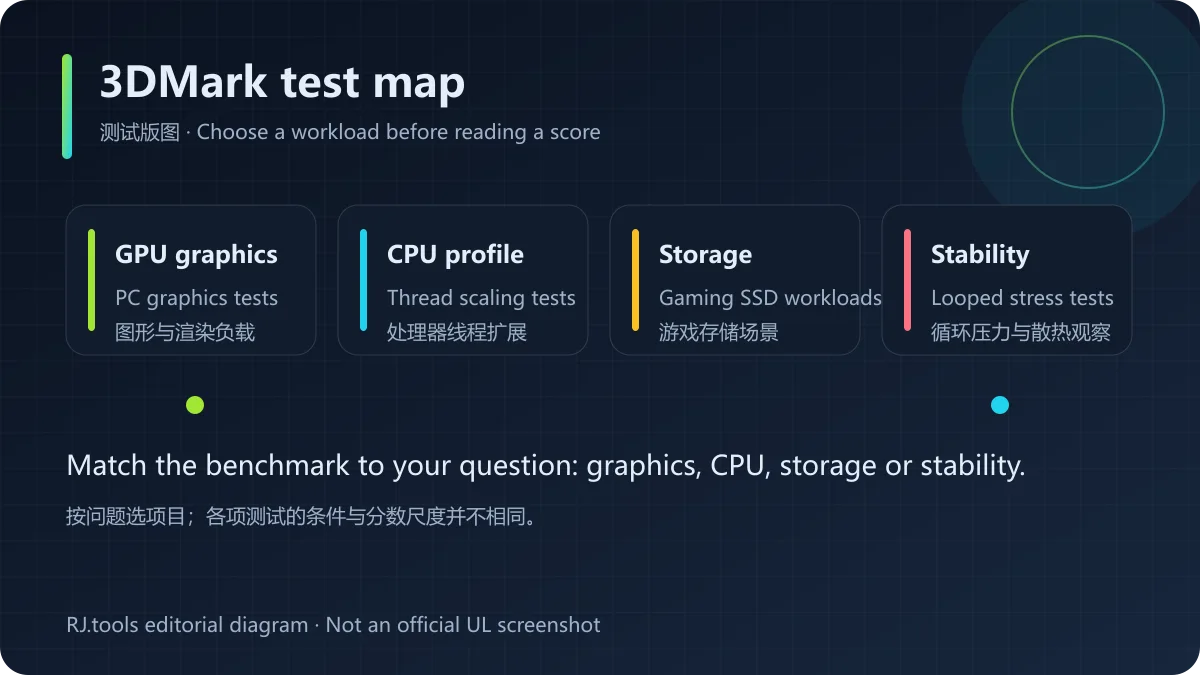
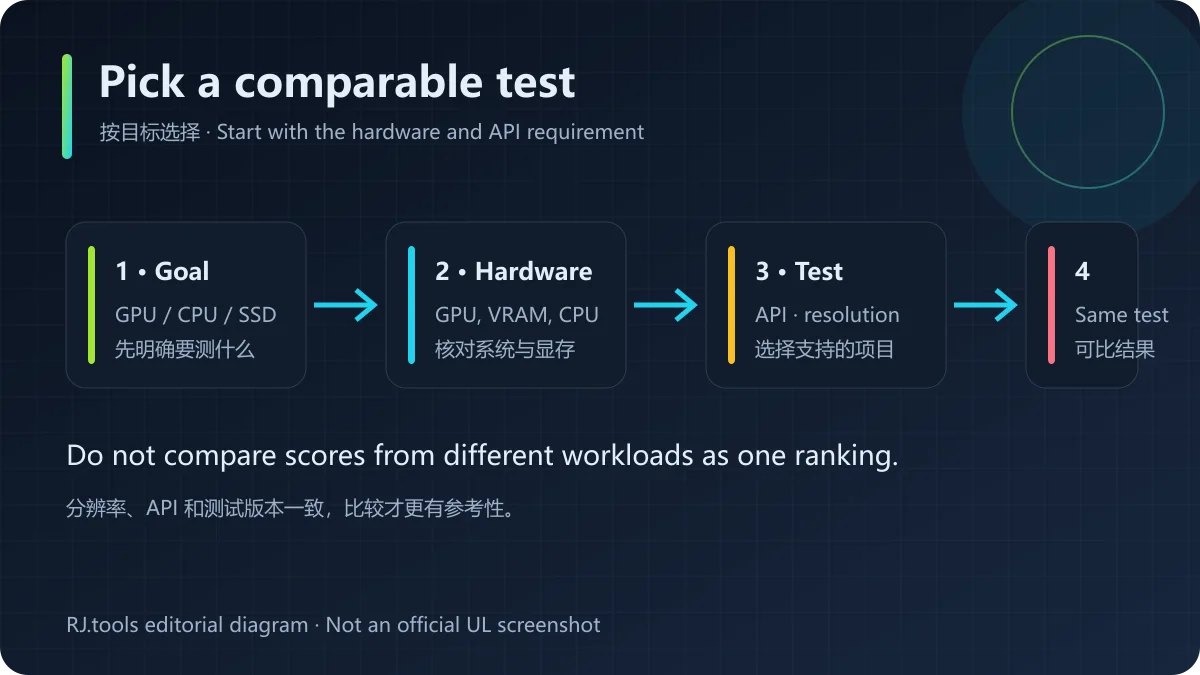
Time Spy、Fire Strike、Steel Nomad、Speed Way 等项目侧重的图形 API、分辨率和负载并不相同;CPU Profile 则按线程数量呈现处理器扩展表现。先按目标硬件筛选测试,再阅读该项目的运行条件。不同项目的分数单位和工作负载不同,不能把它们的数值直接横向比较。
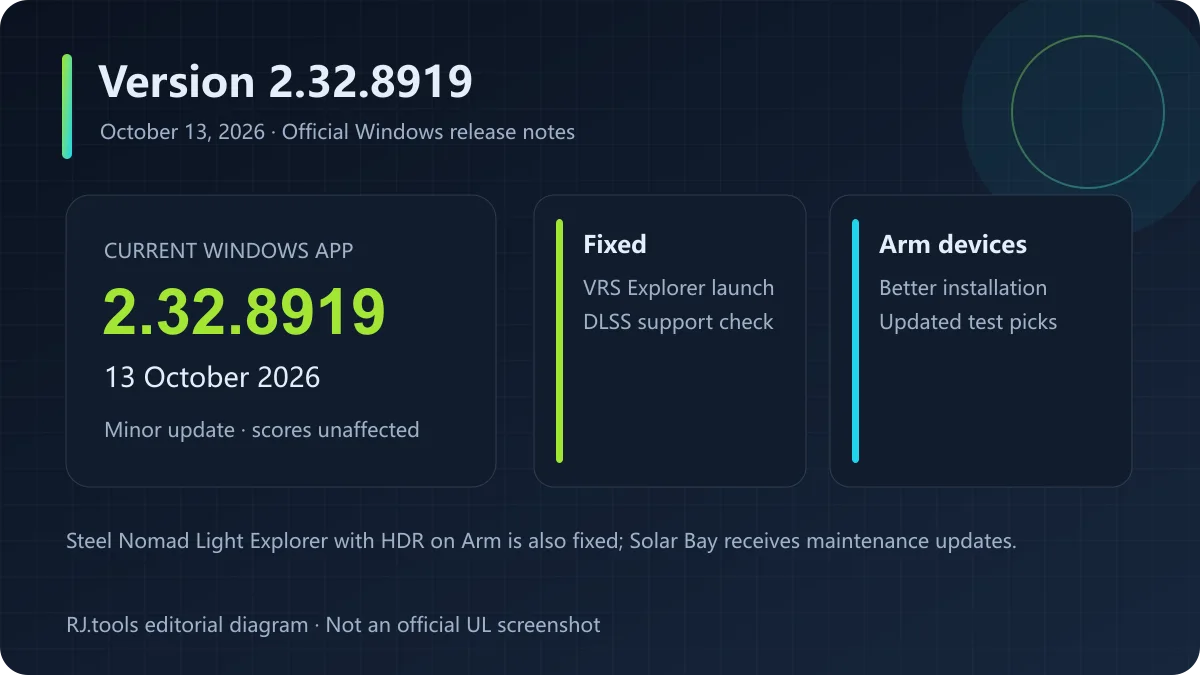
UL 官网在 2026 年 10 月 13 日列出的 Windows 应用版本为 2.32.8919。官方更新说明称这是小型更新,基准分数不受影响:修复 VRS 测试的 Explorer 模式无法启动、Arm 设备开启 HDR 时 Steel Nomad Light Explorer 失败及少见的 DLSS 支持检查错误;同时改善 Windows on Arm 安装体验并更新其测试推荐。Solar Bay 系列也有维护更新。
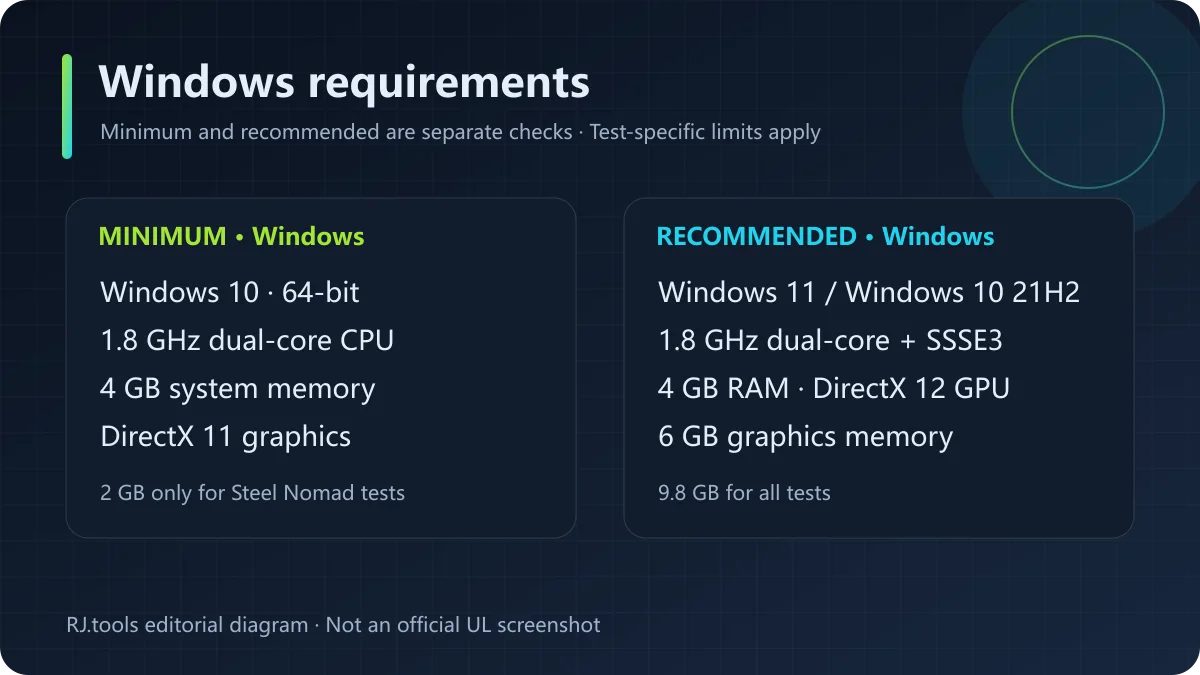
UL 列出的 Windows 最低要求为 64 位 Windows 10、1.8 GHz 双核处理器、4 GB 内存和 DirectX 11;建议配置为 Windows 10 64 位 21H2 或 Windows 11、支持 SSSE3 的双核处理器、4 GB 内存、DirectX 12 显卡及 6 GB 显存。最低 2 GB 空间只覆盖 Steel Nomad 和 Steel Nomad Light;安装全部测试的建议空间为 9.8 GB。Speed Way 等项目另有更高的系统和显卡条件。
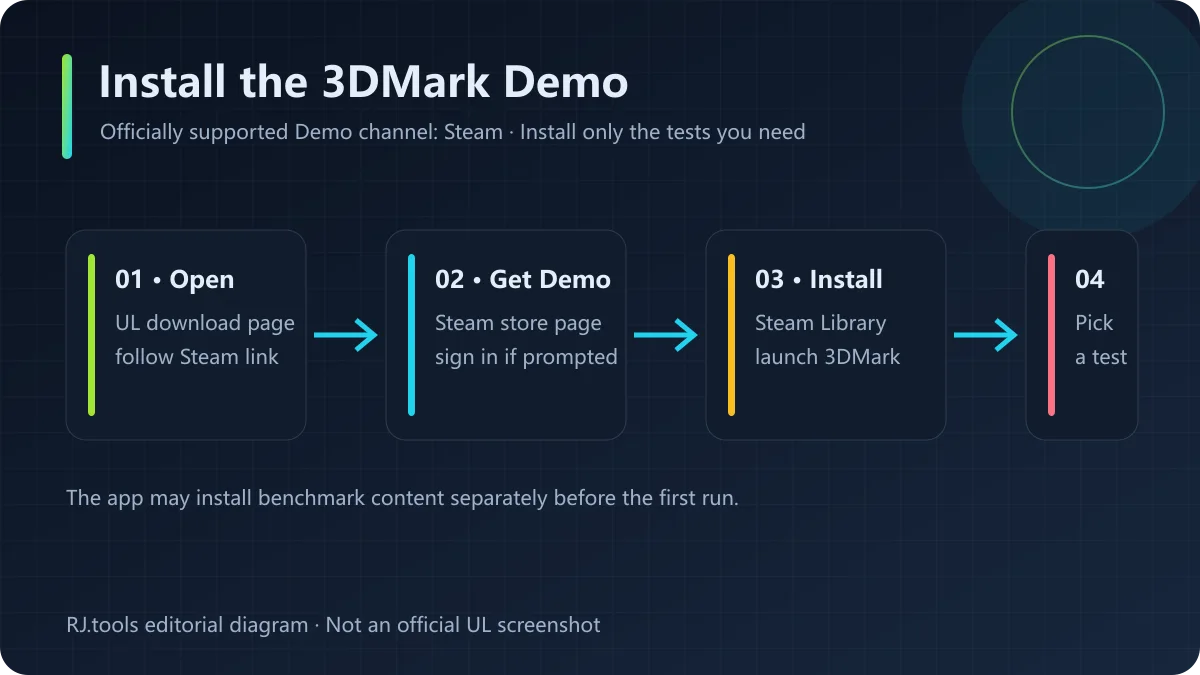
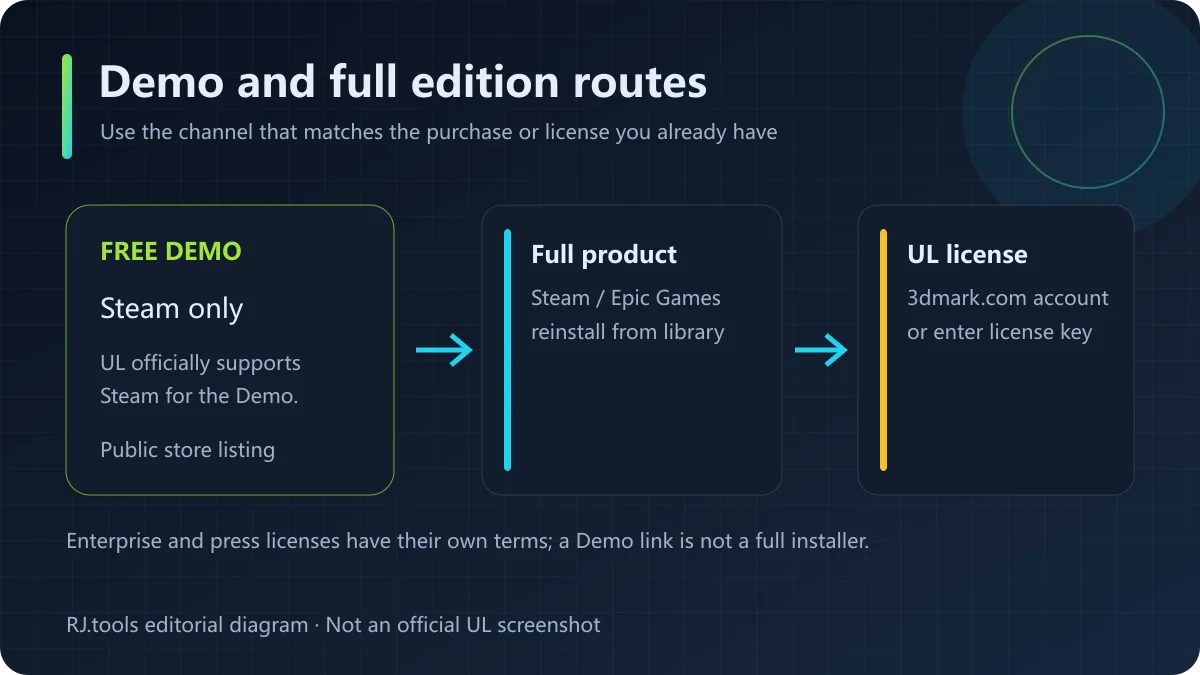
免费 Demo 通过 Steam 提供。完整的 3DMark 可依购买渠道在 Steam 或 Epic Games Store 重新安装;通过 UL 网上商店购买的用户可在 3dmark.com 账户或凭许可证密钥取得安装程序。企业版及媒体评测许可有独立授权要求。渠道与权益以购买记录和 UL 当前说明为准;本文不提供镜像包、网盘包或未经确认的价格。
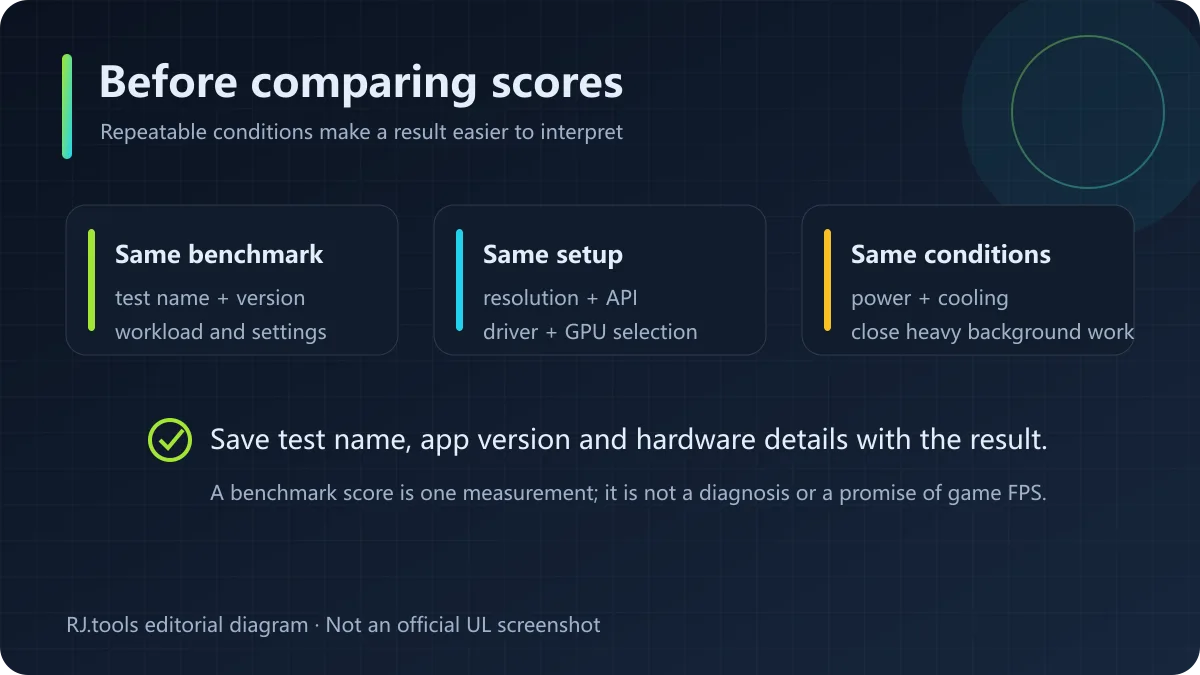
对比前尽量使用同一测试项目和应用版本,记录分辨率、图形 API、运行模式、驱动版本和硬件配置。关闭可能明显占用 CPU/GPU 的后台任务,保持供电与散热状态一致;笔记本还要留意是否切换了独立显卡。一次跑分是特定条件下的测量结果,不能单独证明硬件故障,也不等同游戏中的实际帧率。
3DMark Demo 免费吗?
UL 官方页面把 Steam 版列为 Demo 的唯一官方支持下载渠道;Demo 是否提供某项测试、完整版功能或额外测试内容,应以 Steam 页面和应用内提示为准。
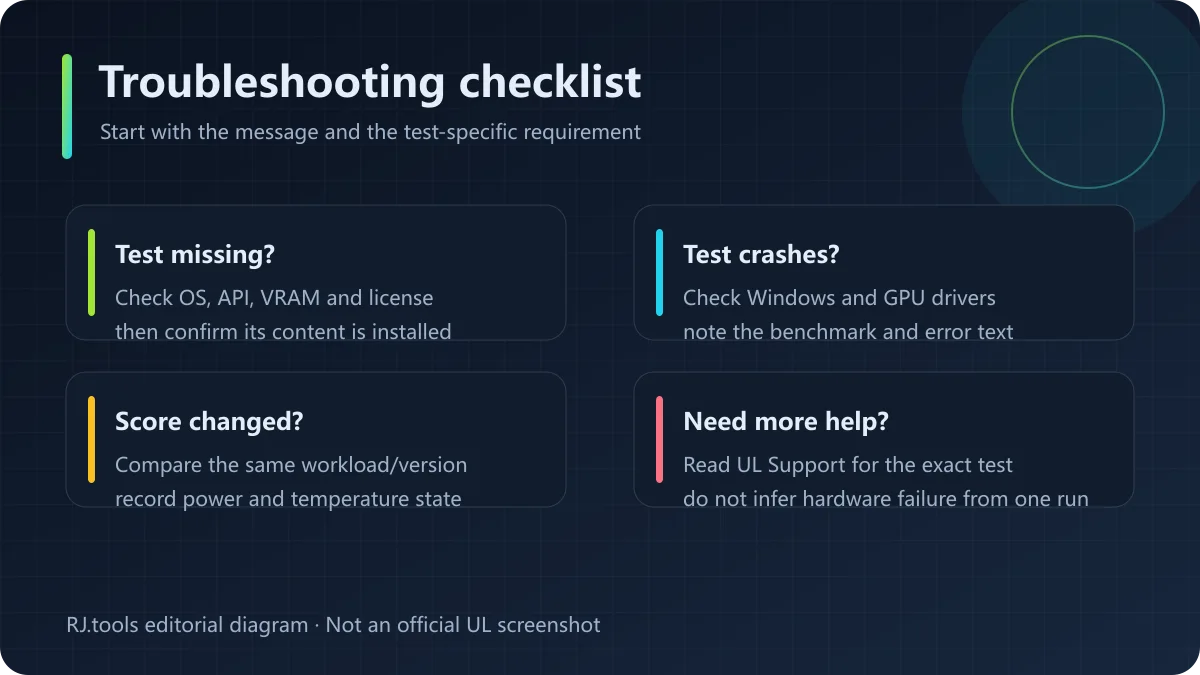
为什么我的电脑看不到某个测试?
不同测试有独立的操作系统、显卡 API、显存或许可证要求。检查 UL 对应测试的兼容说明,并确认测试内容已安装;升级显卡驱动也可能有帮助,但不能保证不兼容的硬件可运行。
2.32.8919 会改变基准分数吗?
UL 将该 Windows 更新说明为小型更新,并明确表示基准分数不受影响。比较历史成绩时仍应核对测试名称、测试版本和硬件配置。
更新后启动失败或测试崩溃怎么办?
先重启应用,检查 Windows 与显卡驱动是否满足对应测试要求,再在 Steam 中验证安装文件;记录具体测试名和错误信息,必要时对照 UL 支持页面排查。
3DMark tests PC graphics, CPU, storage and stability. See v2.32.8919, Windows requirements, Steam Demo setup, test selection, score tips and purchase options.
3DMark is UL Benchmarks' benchmark suite, with separate workloads for DirectX 11/12, ray tracing, Vulkan, multithreaded CPUs, gaming storage and stability. Choose a test after checking the device, graphics API and goal. Some tests require separate installation or a paid edition, and a recommendation does not mean every PC can run it.
Time Spy, Fire Strike, Steel Nomad and Speed Way use different APIs, resolutions and workloads; CPU Profile reports processor scaling across thread counts. Filter by the hardware you want to assess, then read that test's requirements. Scores from different tests use different workloads and should not be compared as if they shared one scale.
UL lists Windows application version 2.32.8919, dated October 13, 2026. Its release notes call this a minor update with no effect on benchmark scores. It fixes VRS Explorer launch, Steel Nomad Light Explorer with HDR on Windows on Arm, and a rare DLSS support-check issue; it also improves installation and benchmark recommendations for Arm devices. Solar Bay tests received maintenance updates.
UL lists 64-bit Windows 10, a 1.8 GHz dual-core CPU, 4 GB RAM and DirectX 11 as minimum requirements. It recommends Windows 11 or Windows 10 64-bit version 21H2, a dual-core CPU with SSSE3, 4 GB RAM, a DirectX 12 GPU and 6 GB graphics memory. The 2 GB minimum storage figure covers Steel Nomad and Steel Nomad Light only; all tests need 9.8 GB recommended free space. Speed Way and other tests have extra requirements.
The free Demo is provided through Steam. Owners of the full 3DMark can reinstall through Steam or the Epic Games Store, depending on where they purchased it. Buyers from UL's online store can retrieve the installer through a 3dmark.com account or with their license key. Enterprise and press licenses have separate terms. Check your purchase record and UL's current instructions; this page does not link to mirrors or quote an unverified price.
Use the same test and application version, and record resolution, API, run mode, driver and hardware. Close background work that can materially use CPU or GPU resources, and keep power and cooling conditions consistent. On laptops, check whether the discrete GPU is active. A score measures one run under specific conditions; it cannot diagnose a fault by itself or guarantee in-game frame rates.
Is the 3DMark Demo free?
UL lists Steam as the only officially supported channel for the Demo. Check the store page and in-app prompts for which tests and content are available in the Demo.
Why is a benchmark missing or unavailable?
Tests can have separate operating-system, graphics API, memory or license requirements. Check UL's test-specific compatibility notes and make sure its content is installed. A driver update may help, but it cannot make unsupported hardware compatible.
Does version 2.32.8919 change benchmark scores?
UL describes it as a minor Windows application update and says benchmark scores are not affected. For historical comparisons, still check the benchmark name, test version and hardware.
What should I do if a test crashes after an update?
Restart the app, check Windows and GPU-driver requirements, then verify the Steam installation files. Note the test name and error message and consult UL Support if the issue remains.
Information verified: Oct 18, 2026
First published: Oct 18, 2026· Editorial revision: Oct 18, 2026
UL 官方页面把 Steam 版列为 Demo 的唯一官方支持下载渠道;可用测试和额外内容以商店页面及应用内提示为准。
不同测试有独立的系统、图形 API、显存或许可证要求。查看 UL 的专项兼容说明,并确认测试内容已安装。
UL 将该 Windows 更新称为小型更新,并说明基准分数不受影响;比较历史成绩时仍需核对测试名称、版本和硬件。
检查 Windows 和显卡驱动要求,重启应用并在 Steam 验证安装文件;记录测试名与错误信息后查阅 UL 支持页面。
UL lists Steam as the only officially supported channel for the Demo. Check the store page and in-app prompts for included tests.
Tests may have separate OS, graphics API, memory or license requirements. Check UL's compatibility notes and install the test content.
UL describes it as a minor Windows application update and says benchmark scores are not affected. Compare the same test and hardware.
Check Windows and GPU-driver requirements, restart the app and verify the Steam files. Record the test and error before contacting UL Support.
TeamSpeak 是面向游戏、团队、商务和社群的语音通信平台,官方介绍包含消息交流与服务器管理。本条目对应官方列出的 Windows 64 位 TeamSpeak 3 3.6.2。
微软官方 Windows 10 下载页提供媒体创建工具入口和安装介质制作说明,页面将 22H2 标示为最终版本。Windows 10 Home 和 Pro 支持已于 2025 年 10 月 14 日结束;LTSC 版本按各自生命周期执行。

LX Music 洛雪音乐助手桌面版:官方Windows安装包、2.12.6更新、列表备份与播放排查。 / Official desktop packages, release notes, playlist preservation and playback troubleshooting.

EA app(原 EADesktop)Windows游戏客户端:官方安装、EA账号与游戏库、自动更新和故障帮助。 / EA client setup, game library, account checks, automatic updates and troubleshooting.

R2V 是 Able Software 的 Windows 地图与工程图栅格转矢量工具。查看官方 7.5 试用版、安装要求、GIS/CAD 输出与数据检查建议。 R2V converts scanned maps and drawings into GIS/CAD vectors; includes official trial and setup guidance.

Windows磁盘空间分析,解释MFT扫描、实际占用、重复候选限制、4.33更新与个人/商业许可。 / Windows disk space analysis with MFT scanning, allocated space, duplicate limits, v4.33 notes and licensing.

Sideloadly 是 Windows/macOS 桌面 IPA 侧载工具,可将兼容 IPA 安装到 iPhone、iPad、Apple Silicon Mac 和 Apple TV;官网列出 Wi-Fi 侧载与自动刷新。 | Sideloadly is a Windows/macOS IPA sideloading utility for iPhone, iPad, Apple Silicon Mac and Apple TV, with Wi-Fi sideloading and automatic refresh features listed by the publisher.

DiskGenius 6.2:官方安装器与便携版、免费和专业版权限、当前更新及数据恢复位置检查。 / Official v6.2 package choices, Free/Professional differences, release notes and recovery-destination guidance.

读取DPC、ISR与硬缺页定位音频中断线索,区分7.31修复、家庭版许可与当前Windows驱动阻止限制。 / Interpret DPC, ISR and pagefault reports with v7.31 notes, Home Edition licensing and current Windows driver-policy limits.
PowerToys 是 Microsoft 提供的 Windows 实用工具集合,帮助用户自定义 Windows 并简化日常任务;资料列出的版本为 v0.102.3001。

Process Lasso 是 Bitsum 的 Windows 进程管理与自动化工具,提供 ProBalance、Performance Mode、进程规则和硬件监控。稳定版 18.4.0.48 支持 Windows 10、11 与 Windows Server;免费版可长期使用,部分高级功能需要 Pro。 / Process Lasso is Bitsum’s Windows process-management and automation utility, with ProBalance, Performance Mode, process rules and hardware monitoring. Stable version 18.4.0.48 supports Windows 10, 11 and Windows Server; some advanced features require Pro.

TrafficMonitor Windows 网速与资源监控:1.86 Lite 架构选择、任务栏设置、版本变更和零读数排查。 / TrafficMonitor v1.86 Lite package selection, taskbar setup, release changes and troubleshooting for network readings.